





On the heels yesterday’s big news which was the release of Mango, the next major update 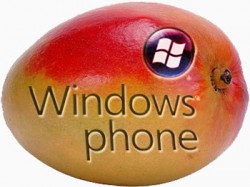 for Windows Phone,Microsoft just announced on the Windows Phone Developer blog by Cliff Simpkins that Microsoft was making the Windows Phone SDK 7.1 “Beta 2 Refresh available immediately. Starting this morning, you can download the Windows Phone SDK 7.1 “Beta 2 Refresh” from the ‘Mango’ Connect site. We’ve received positive feedback on the Mango tools and bits we’ve shared, but appreciate that many devs are still interested in working with a more complete build. Today’s refresh of the tools represent a month of great progress by the engineering team, further refining and improving the Mango developer experience.
If that isn’t exciting enough, Microsoft has also pushed an OS update to the Microsoft Update servers this morning, allowing you to refresh retail Windows Phones that devs updated to Mango over the last month. If you previously updated, you can expect the following notice on your phone over the next few days: This happy little message is the sign that you can receive Build 7712, which corresponds to today’s WPSDK 7.1 release. Before you ask (and I know you will, because folks started asking yesterday) this build is not yesterday’s RTM build – it’s still a pre-release build. For RTM, you’ll need to wait for the official update like everyone else. Simpkins goes on to explain how to install this dev build onto your phone if eligible:
- Make a copy of the backup you took when you updated to the Mango Beta 2 pre-release (which I’msure you did) and put it in a safe place, if it isn’t in one already
- Return to Connect.Microsoft.com (we’re using the same program you were invited to join last month) and download the freshly posted files, which includes a new Zune client and a new UpdateWP executable
- Head to the Control Panel and uninstall the Beta 2 software (Zune client and UpdateWP) and tools (WPSDK) that you installed last month
- Install the new software and tools that you just downloaded from Connect
- Fire up the new Zune client beta (4.8.2134.0) to check for the new update
- Zune will then update your phone from 7661 to 7712
It looks like all the pieces are finally falling into place for a great update headed our way very soon. [Cross-posted at Winextra]
… We’d like to tell you about our mission and how you can help us fulfill it. SiliconANGLE Media Inc.’s business model is based on the intrinsic value of the content, not advertising. Unlike many online publications, we don’t have a paywall or run banner advertising, because we want to keep our journalism open, without influence or the need to chase traffic.The journalism, reporting and commentary on SiliconANGLE — along with live, unscripted video from our Silicon Valley studio and globe-trotting video teams at theCUBE — take a lot of hard work, time and money. Keeping the quality high requires the support of sponsors who are aligned with our vision of ad-free journalism content.
If you like the reporting, video interviews and other ad-free content here, please take a moment to check out a sample of the video content supported by our sponsors, tweet your support, and keep coming back to SiliconANGLE.






