



 NEWS
NEWS
NEWS
NEWS
NEWS

On July 27th, a Release Candidate build of Windows Phone Mango became available to developers. Thanks to DreamSpark, I am considered a developer, and went through the process of updating my Samsung Focus to build 7712. Steven asked me if I wanted to write about the experience (both of upgrading and how the phone works now), and, happy to gab about Mango to anyone who would listen, I obliged.
Before I get started, a disclaimer: I only have the one phone, so any impressions are purely anecdotal. If you’re looking at this post for advice on how to go about updating, keep in mind that I used the official method.
Also, since I had not seen anyone discuss the installation process, I tried to get in touch with Brandon Watson about what I could and could not discuss, due to the EULA for the beta having a confidentiality clause. Not hearing anything, I’ve decided to take the risk in posting it. Just so we’re on the same page, the version of Mango I’m discussing is pre-release, so everything in this article is subject to change. For example, it’s highly likely that the update process will definitely be less involved when Mango is released later this year.
The process started with getting the necessary files: an updated Zune client, an updated Windows Phone Updater file for Zune, a backup application for Windows Phone, and the updated version of the Windows Phone SDK. The instructions said to make sure to uninstall and remove all existing versions of everything I needed to update.
With everything installed, it was time to backup the phone. The instructions sugges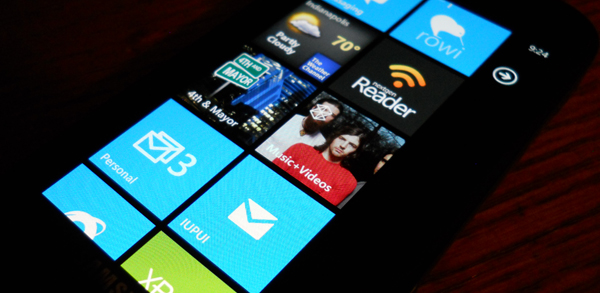 ted (and I was forced to due to my SSD) removing all synced content from the phone, leaving only apps and system settings. The backup process initially failed at 84%, which prompted me to plug the phone into a different USB port, and try running the backup process again. The second try succeeded in half the time it took the first attempt to fail.
In the EULA, the instructions, and in every possible place they could, Microsoft makes it clear that I need to back up my backup. While I have Mango installed, I am no longer under warranty by AT&T and Samsung. Assuming the phone doesn’t get bricked, the backup lets users roll back to NoDo, putting them under warranty once again, and Microsoft claims that they will support authorized developers if their phone gets bricked during the update process. So I made sure I had a copy of my update in multiple locations and started up Zune.
The actual update process was near-identical to updating to NoDo. The place where it differed was an improvement: updating to 7712 involves two updates: 7403 and 7712. Unlike before, where you have to update, scan for updates, and update again, the new process installs both builds in one process. Overall, it took about an hour or so. The step where 7712 is installed on the phone (where you see the bar move on the phone’s screen) seemed to move much slower than NoDo or 7403.
The first thing I noticed after unlocking the screen was my accent changed from blue to red. As Rafael Rivera mentioned on Twitter, red appears to be the new default color in Mango as opposed to the original blue default. After that, the next thing I noticed is that everything is faster, and I mean everything: moving in and out of apps, loading content from the internet, navigation; just think of something and it’s faster.
One of my favorite features is the ability to link inboxes. I have 3 personal email addresses and an email address for my university. Prior to Mango, I had to have all 4 inboxes on my Start screen in order to access all that mail easily. Instead, I have a linked Personal inbox, and the university inbox.
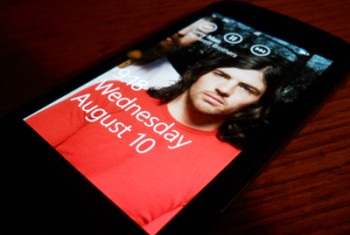
Using the Focus as my primary media device, the changes to media playback are greatly appreciated. Keeping the controls in the same place, both in the app and in the drop down controls, helps with muscle memory. They’ve also increased the size of the buttons and text to make everything easier to see at a glance and hit. Being able to manage podcasts directly from the phone is nice as well. I’m also currently using the feature where it shows artist art on the lock screen when playing music.
On the first day of use, I became concerned with the battery life. As of 4:00 pm, according to the Battery Saver page in Settings, I was at 40% battery life which apparently equated to an estimated 3 hours of life. I typically can survive about 10 hours of moderate use without flinching, and I was only off a charge for about 4 hours. With this being my first day on Mango, I was not ready to condemn it as the source of the problem. I installed an app over wi-fi, and played a bit more music than usual. However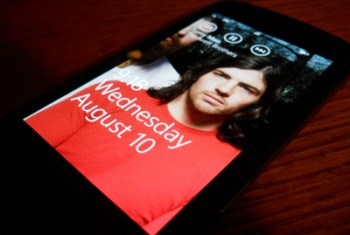 , if there’s a feature I would blame for worse battery life is the same artist art lock screen feature I enjoy.
Every time I change songs, it transitions to a new image. That morning, it appeared to be pulling the images down from the internet when it didn’t have them. I ended up turning on “Run Battery Saver Mode Until Next Charge” mode because by about 4 hours before the end of the day, I was already at 29%. That boosted me to an estimated 4 hours of battery life and put a cute little heart icon on top of the battery indicator. Battery Saver ended up letting the battery only drain 11% in the proceeding 5 hours.
All app performance has been dramatically improved. Scrolling in apps is much smoother. It doesn’t necessarily seem as smooth as native applications, but I only know of one my apps I has been actually updated for Mango. Panoramas are significantly improved. I stuck with 4th & Mayor after the official Foursquare app got updated because panorama apps prior to Mango performed significantly slower than pivot-based apps. Pivot is still faster, but Panoramas are actually a worthwhile option now. So far, the only apps I use that don’t work are Bubblegum and Downtown, although Downtown was crashing on me in NoDo, too.
The Twitter integration is super-powerful. Between the People and Me hubs, you get almost every base feature of Twitter, with the exception being Direct Messages. Absent from the Twitter integration are lists and hash tag searching. I have not tried using multiple accounts, as I don’t have multiple accounts, so I can’t speak to how that works. I will end up sticking with Rowi, as I want the syncing with MetroTwit, but for people whose Twitter use is primarily through SMS or Web, this could be all they need.
Overall, Mango is an improvement over launch-WP7 and NoDo in nearly every conceivable way. With Mango, Windows Phone is an operating system that can be recommended without qualification. There is no one major feature missing from Windows Phone anymore to make it less appealing: it has copy + paste, it will have multi-tasking/fast-task-switching in Mango, and it has an app marketplace that is growing quickly. Current users will get a faster, smoother, more-fleshed-out experience, and potential customers have a phone they have no reason to ignore when it comes time to go shopping.
[Cross-posted at Winextra]
… We’d like to tell you about our mission and how you can help us fulfill it. SiliconANGLE Media Inc.’s business model is based on the intrinsic value of the content, not advertising. Unlike many online publications, we don’t have a paywall or run banner advertising, because we want to keep our journalism open, without influence or the need to chase traffic.The journalism, reporting and commentary on SiliconANGLE — along with live, unscripted video from our Silicon Valley studio and globe-trotting video teams at theCUBE — take a lot of hard work, time and money. Keeping the quality high requires the support of sponsors who are aligned with our vision of ad-free journalism content.
If you like the reporting, video interviews and other ad-free content here, please take a moment to check out a sample of the video content supported by our sponsors, tweet your support, and keep coming back to SiliconANGLE.






