





If there is one thing that has remained constant in Windows throughout all of its incarnations, It’s the software’s copy, delete, and move file functions. This is something that Microsoft is looking to finally improve in Windows 8.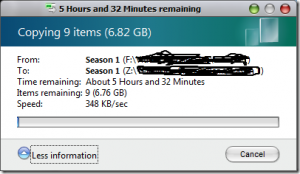
The Building Windows 8 blog had a post up this evening, outlining some of the changes we can expect as a result of some pretty interesting user telemetry they’ve been collecting from Windows 7 users. (At least from those who opted in).
Usability studies confirm what most of us know—there are some pretty cluttered and confusing parts of the Windows 7 copy experience. This is particularly true when people need to deal with files and folders that have the same file names, in what we call file name collisions. Lastly, our telemetry shows that 5.61% of copy jobs fail to complete for a variety of different reasons ranging from network interruptions to people just canceling the operation.
We clearly have an opportunity to make some improvements in the experience of high-volume copying, in dealing with file name collisions, and in assuring the successful completion of copy jobs.
Many of you reading this blog post come at this from a slightly different perspective. Like me, you might already have a third-party copy management tool that already addresses these high-volume scenarios. Our telemetry data shows that the most popular of these add-ons (such as TeraCopy, FastCopy, and Copy Handler) are running on fewer than .45% of Windows 7 PCs. While that might be a large absolute number given the size of the Windows 7 customer base, it still tells us that most people do not have a great tool for high-volume copy jobs.
We aren’t aiming to match the feature sets of these add-ons. We expect that there will be a vibrant market for third-party add-ons for a long time. Our focus is on improving the experience of the person who is doing high-volume copying with Explorer today, who would like more control, more insight into what’s going on while copying, and a cleaner, more streamlined experience.
There is a video of some of the changes in store, but unfortunately it isn’t embeddable but I did grab a screen shot of the new Windows 8 Copy dialog.
As you can see, the dialog now will display all current file actions in one dialog and when you select the More Details option you will see the dialog change to show you in a real-time graph on how the file action is progressing. You will also be able to pause any one of the file actions that are taking place.
It’s been a long time coming, but it is definitely nice to see some work being done on one most used parts of the Windows sub-systems.
Update: here is the full video that was posted to the original Microsoft Building Windows8 blog.
[Cross-posted at Winextra]
… We’d like to tell you about our mission and how you can help us fulfill it. SiliconANGLE Media Inc.’s business model is based on the intrinsic value of the content, not advertising. Unlike many online publications, we don’t have a paywall or run banner advertising, because we want to keep our journalism open, without influence or the need to chase traffic.The journalism, reporting and commentary on SiliconANGLE — along with live, unscripted video from our Silicon Valley studio and globe-trotting video teams at theCUBE — take a lot of hard work, time and money. Keeping the quality high requires the support of sponsors who are aligned with our vision of ad-free journalism content.
If you like the reporting, video interviews and other ad-free content here, please take a moment to check out a sample of the video content supported by our sponsors, tweet your support, and keep coming back to SiliconANGLE.






