







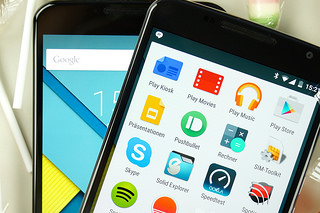
 Originally slated to start on November 4, the Google Android 5.0 Lollipop rollout has been bogged down by its fair share of delays and bugs, such as the big battery life problem. Bugs are an accepted part of any major software update and are usually ironed out in the weeks and months following the initial release.
Two of the most apparent Lollipop bugs to surface recently have been the elusive Silent Mode and recent apps staying open after being swiped away in the new app switcher. The first of these is, in fact, not a bug, but the result of Google renaming the feature and now giving you three ways to “silence” your phone: None, Priority and All.
These are only two of the issues plaguing users who have made the switch to Android 5.0 Lollipop and the blogosphere is abuzz with reports of other bugs. David Nield, of Gizmodo’s Field Guide, has compiled a list of the most common Lollipop bugs and their fixes. Here are some highlights:
Some users report dropped connections while others say they cannot get online at all. Google is yet to fix this issue, but Nield suggests the following temporary fix:
“In terms of suggested fixes, getting your phone or tablet to forget the network (long-press on the Wi-Fi network list) then reconnecting seems to work for a select few. The old faithful factory reset has done the trick for some, but this is a bit of a pain to work through. You might also want to uninstall some of the older apps on your device, at least temporarily: A number of users have reported Wi-Fi issues disappearing once particular third-party apps were updated with Lollipop compatibility.”
According to Nield, based on forum and social media reports they reviewed, battery problems are more common than Wi-Fi issues. It seems Google didn’t nip that one in the bud before the rollout commenced. He suggests performing a factory reset to resolve the issue and if that doesn’t do the trick it may be an older app causing the battery to drain. He suggests, “You might want to try removing a few apps that haven’t been recently updated.”
If your device is sluggish or tends to randomly shutdown for no apparent reason, there is a simple fix that may resolve it. The suggestion is to perform a factory reset…yet again, “to clear the cobwebs away and enable your device to start afresh from scratch.” The other cause may be one or more older apps that have yet to be updated and are not entirely compatible with Android 5.0 yet. Try uninstalling them to see if this resolves the issue.
Nield notes that one of the more specific issues they’ve come across in the forums and on social media is a video playback issue on the Wi-Fi version of the 2013 Nexus 7. Apparently “Lollipop loses its bearings and is unable to find the video player software when they want to watch a clip.” He suggests clearing the cache of the affected app to see if this resolves the issue.
Bugs aside, Lollipop is Android’s biggest update since Ice Cream Sandwich and has been highly anticipated and well received. If you haven’t updated yet, check out our seven reasons to update to Android Lollipop.
Check out Gizmodo’s guide for more detailed explanations and step-by-step instructions on these fixes.
Support our mission to keep content open and free by engaging with theCUBE community. Join theCUBE’s Alumni Trust Network, where technology leaders connect, share intelligence and create opportunities.
Founded by tech visionaries John Furrier and Dave Vellante, SiliconANGLE Media has built a dynamic ecosystem of industry-leading digital media brands that reach 15+ million elite tech professionals. Our new proprietary theCUBE AI Video Cloud is breaking ground in audience interaction, leveraging theCUBEai.com neural network to help technology companies make data-driven decisions and stay at the forefront of industry conversations.




