







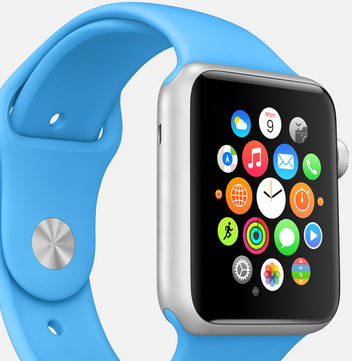
 The ability to control your physical aspects of your life from a mobile device is convenient. Whether it is keeping an eye on what your children are up to at home, changing channels on your TV or the ability to control presentation slides remotely. Prior to the Apple Watch, we had to rely on iPhones or iPads to control these aspects of our life. However, with the release of the Apple Watch, you can control daily aspects of your life directly from your wrist.
Apple’s own presentation software, Keynote, has been updated for the Apple Watch. Keynote is one of the most powerful mobile presentation apps around, and with the latest update controlling your presentations is that much easier.
With the updated version of Keynote for Apple Watch, known as Keynote Remote, you can control the slides in your Keynote presentations directly from your wrist. To link Keynote Remote on your Apple Watch, make sure you have the latest version of Keynote installed on both your Mac or iOS device.
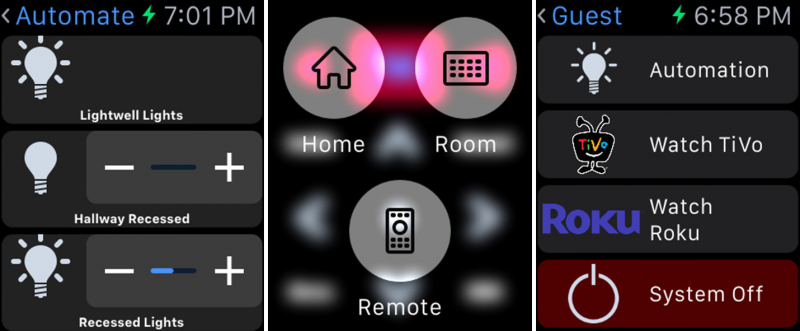
With the use of Wi-Fi, Roomie allows you to control thousands of connected devices in your home, like TVs, cable and satellite boxes, receivers, Blu-ray players, lights and thermostats. You will now be able to control all these devices directly from your wrist with the Roomie Remote Apple Watch app.
This universal remote initially comes with the ability to control three devices, while you can purchase additional devices via in-app purchases. Roomie was the winner of the 2015 CEA Home Technology App of the Year Award.
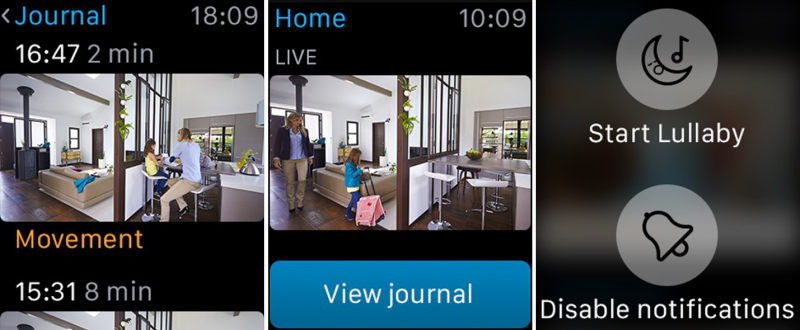
You are now able to access Withings Home’s security directly from your wrist. The Withings Home is an HD camera that allows you to keep an eye on what is happening at home. Changes in sound, air quality and motion will send you an alert.
You can also easily check in on the status of your home without even opening the app: simply set the Withings Home app as one of your featured glances on your watch and you will be able to see a screenshot of the latest event, complete with timestamp and event description (noise, movement, air quality). You will even be able to play a lullaby for your baby directly from your wrist.
Support our mission to keep content open and free by engaging with theCUBE community. Join theCUBE’s Alumni Trust Network, where technology leaders connect, share intelligence and create opportunities.
Founded by tech visionaries John Furrier and Dave Vellante, SiliconANGLE Media has built a dynamic ecosystem of industry-leading digital media brands that reach 15+ million elite tech professionals. Our new proprietary theCUBE AI Video Cloud is breaking ground in audience interaction, leveraging theCUBEai.com neural network to help technology companies make data-driven decisions and stay at the forefront of industry conversations.




