



 NEWS
NEWS
NEWS
NEWS
NEWS

Arguably Microsoft’s most exciting product in a long time is the company’s augmented reality headset, HoloLens. While we’ve featured some of its many wonders, i.e., making your living room come alive with holographic 3D images, and virtually seeing inside the human body as a means to study anatomy, we’ve haven’t yet really got down to the nitty-gritty of how the headset actually works and how it manages to be so blooming jaw-dropping. Caveat: at least in controlled demonstrations.
HoloLens is augmented reality, not virtual, so unlike like Oculus Rift, which completely encapsulates you in another world, HoloLens partially immerses you, much like we saw in the film Minority Report – although it’s not yet that fantastic. HoloLens is not at all like Google Glass, which is a comparison many laymen have made. Google Glass brings a virtual screen into sight, but HoloLens projects images onto your eyes that meld with the physical world: much more far out. It does this by using translucent screens that can bring up the multi-dimensional, full-color images in front of you, while a number of cameras scan your surroundings. Your brain interprets this information as the computerized images being part of the physical world.
When we first saw the headset at Microsoft’s Windows 10 Event back in January, HoloLens came with wires sticking out of it, and the person inside the headset was also weighed down by various packs around his neck. That was the past, and it didn’t take Microsoft long to change this. Now everything happens within the goggles and their band, including a computer running Windows 10.
The band consists of two rings, one that straps and tightens onto your head, and another that holds all the important stuff. It’s front loaded of course, and so is a little heavy, but most people agree it’s a comfortable fit when adjusted and also wears well with glasses according to one bespectacled reviewer.
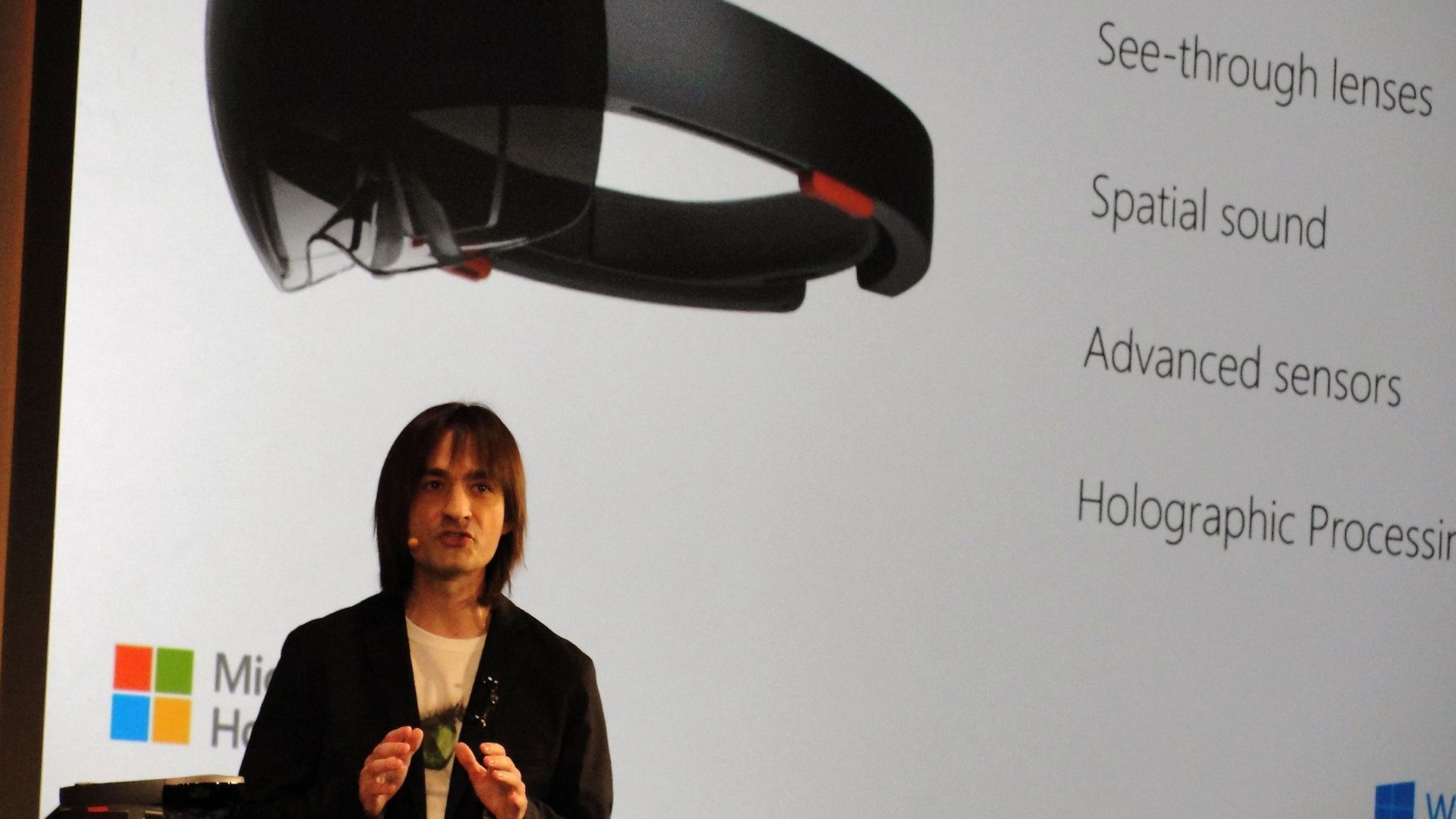
This means you can manipulate holographic images with your gestures, using Kinect censors. Kinect, as Alex Kipman puts it, “understands human speech, it understands human identity, it understands identity, and it understands human gestures.”
You can point at objects and move them, and do what Microsoft calls the Air Tap, to interact with objects. You can’t however pinch, zoom, throw around the room with Gesture Control, as we have seen in science fiction.
When you’re looking at a 3D object and then move your line of vision, you might lose some of the scene. That is until you turn on Gaze Control. This acts like a cursor, and where your eyes move, a red dot moves with them. This enables you to pick out various objects in a scene.
Once you’ve moved your object using hand gestures, and then picked something out with your eyes using Gaze Control, you can then give a voice command to make something move, or disappear entirely, and then bring it back again if you choose to do so.
It’s not much good if you are immersed in your virtual world, you approach an object and the sound emanating from it doesn’t increase. This is taken care of with the spatial sound feature; when you get closer, it gets louder, making the holographic landscape you are in more believable. When you drop something (virtual) on a physical surface, and it smashes, you hear it smash as if the object had really collided with something in the physical world, even it happens behind you!
HoloLens contains cameras and lots of censors, including a motion-tracking device, an Inertial Measurement Unit (IMU), which contains a accelerometer, gyroscope and magnetometer, whose purpose serves to follow your every head movement.
You can take shots and video with the headset, but perhaps more impressive is that you can take a photo of someone in the real world interacting with a hologram. Expect to see an entire new range of holographic memes in the future!
The HoloLens has a GPU (graphics processing unit), a CPU (central processing unit) and an HPU (Holographic Processing Unit). Designed specifically for HoLoLens, the HPU is where most of the magic takes place; it’s how the headset knows how to do all of the above.
All Windows 10 apps, because they are universal apps, will work as holograms. The APIs for HoloLens are the same as the ones used for Windows 10.
We don’t know when HoloLens will be made available to the public, nor do we know how much it will cost – although, not surprisingly, rumors suggest quite a lot. There’s also the question of how immersed we should be in other realities, and for how often, but that’s not something we’ll talk about today.
… We’d like to tell you about our mission and how you can help us fulfill it. SiliconANGLE Media Inc.’s business model is based on the intrinsic value of the content, not advertising. Unlike many online publications, we don’t have a paywall or run banner advertising, because we want to keep our journalism open, without influence or the need to chase traffic.The journalism, reporting and commentary on SiliconANGLE — along with live, unscripted video from our Silicon Valley studio and globe-trotting video teams at theCUBE — take a lot of hard work, time and money. Keeping the quality high requires the support of sponsors who are aligned with our vision of ad-free journalism content.
If you like the reporting, video interviews and other ad-free content here, please take a moment to check out a sample of the video content supported by our sponsors, tweet your support, and keep coming back to SiliconANGLE.






