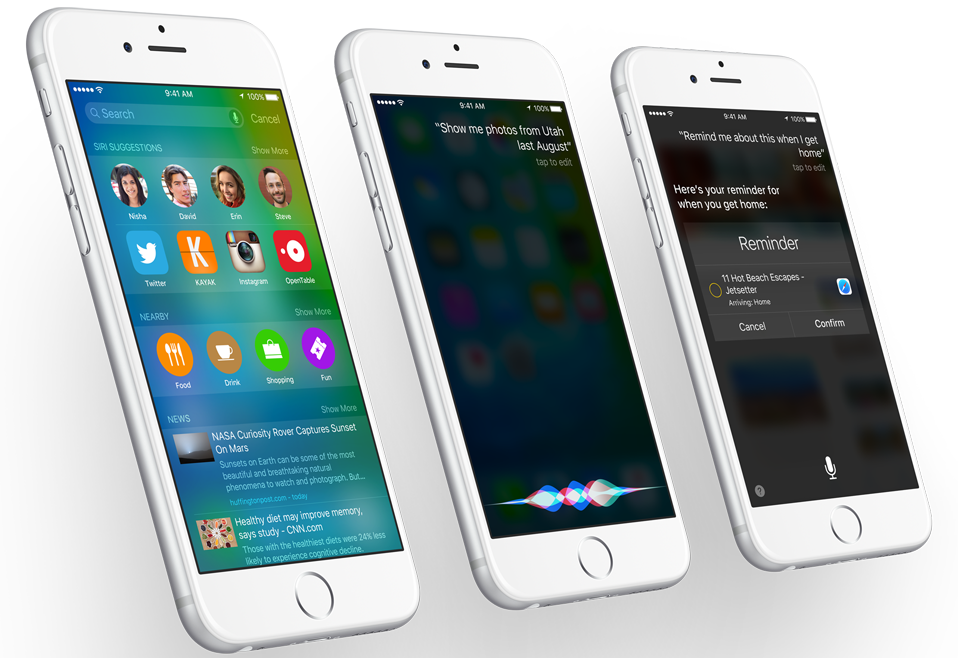







Apple announced iOS 9 at the company’s annual Worldwide Developers Conference on Monday. When it becomes available to the general iPhone toting population in September, iOS 9 will bring a host of new features and improvements over its predecessor, iOS 8.
The new features in iOS 9 include a more intelligent and proactive Siri, multitasking functionality for the iPad, public transit directions in Maps, a new News app, and more.
Improvements on iOS 8 include a redesigned Notes app, six-digit passcode, improved battery life and performance, and more.
On the same day, Apple seeded iOS 9 beta 1 for registered iOS developers. Developers can log into Apple’s Developer Center and download the beta version along with release notes and other relevant information.
If; however, you are not a developer, but merely an iPhone toting member of John Q. Public who likes to stay on the cutting edge of technology and still want early access to iOS 9, there is good news for you.
If you are willing to part with the $99 a year it costs to sign up for Apple’s developer program, iOS 9 is yours for the taking.
It is crucial to mention at this point that iOS 9 is only a beta release and is bound to buggy and not optimized for everyday use. Intended for developers, it is unlikely to be very useful to the average iPhone user.
As mentioned, the software is likely to be buggy and may not work as expected. It could also cause unexpected system issues on your device, so proceed at your own risk.
For a more comprehensive guide on how to install iOS 9 beta 1, visit iPhone Hacks.
Support our mission to keep content open and free by engaging with theCUBE community. Join theCUBE’s Alumni Trust Network, where technology leaders connect, share intelligence and create opportunities.
Founded by tech visionaries John Furrier and Dave Vellante, SiliconANGLE Media has built a dynamic ecosystem of industry-leading digital media brands that reach 15+ million elite tech professionals. Our new proprietary theCUBE AI Video Cloud is breaking ground in audience interaction, leveraging theCUBEai.com neural network to help technology companies make data-driven decisions and stay at the forefront of industry conversations.





