



 NEWS
NEWS
NEWS
NEWS
NEWS

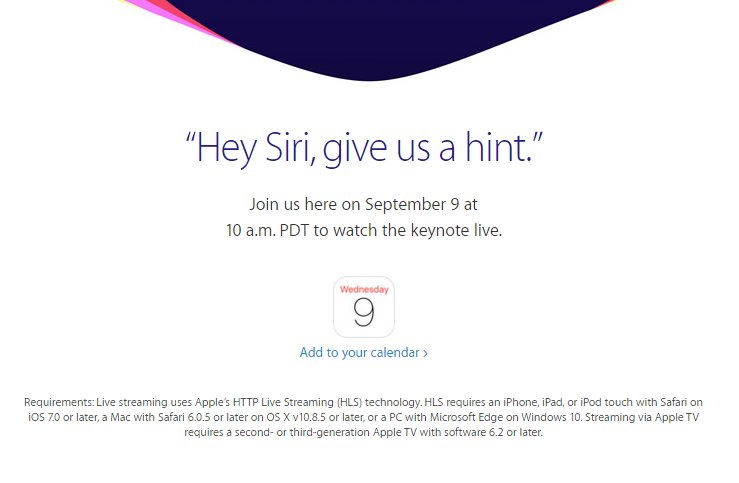
Apple is set to take the stage on September 9, 2015 at the Bill Graham Civic Auditorium in San Francisco starting at 10 a.m. PDT. It is expected that the Cupertino giant will unveil the latest iPhones (at least two are slated to make an appearance), new iPads and a new Apple TV.
For those unable to attend the annual launch event in person, Apple provides a live stream. Question is, where and how to watch the live stream?
If you own an iPhone, iPad and iPod touch which runs at least iOS 7, all you need is the latest version of the official Apple WWDC app. When the live stream kicks off, just launch the app and you’ll be able to watch the livestream on your prefered device. The app also gives you access to videos of previous Apple events so you can watch old videos while waiting for this year’s.
If you do not want to download the app or want watch it on a bigger screen, such as your Mac or your own television using the Apple TV, just go to http://www.apple.com/apple-events/september-2015/ using a 6.0.5 version of Safari or later and you’re good to go. It should also be noted that your Mac needs to be running OS X v10.8.5 or later and a second or third generation Apple TV running software 6.2 or later.
For the first time, non-Apple users can now watch the live stream if they are using a Windows 10 device. The release of Windows 10 this year included the Edge browser, which supports Apple’s HTTP Live Streaming (HLS) technology. So if you’re using a Windows 10 device, just open your Edge browser and go to Apple’s live stream event page.
PhoneArena has some tips on how you can watch Apple’s live stream even if you do not have the supported devices. If you have a VLC Media Player installed on your computer, you can use the player’s Network Streaming feature to watch the event. Just go the Media menu, look for “Open Network Stream” and click on it. A window will pop up asking you to enter a URL. Paste this URL: http://p.events-delivery.apple.com.edgesuite.net/15pijbnaefvpoijbaefvpihb06/m3u8/atv_mvp.m3u8. According to PhoneArena, that is the internal URL Apple TV uses to stream keynote events.
And for Android users, you can also download the VLC app for Android which also has the same network streaming feature which you can use to open the link above.
Update: Check out these resources for more details on Apple’s new products
… We’d like to tell you about our mission and how you can help us fulfill it. SiliconANGLE Media Inc.’s business model is based on the intrinsic value of the content, not advertising. Unlike many online publications, we don’t have a paywall or run banner advertising, because we want to keep our journalism open, without influence or the need to chase traffic.The journalism, reporting and commentary on SiliconANGLE — along with live, unscripted video from our Silicon Valley studio and globe-trotting video teams at theCUBE — take a lot of hard work, time and money. Keeping the quality high requires the support of sponsors who are aligned with our vision of ad-free journalism content.
If you like the reporting, video interviews and other ad-free content here, please take a moment to check out a sample of the video content supported by our sponsors, tweet your support, and keep coming back to SiliconANGLE.






