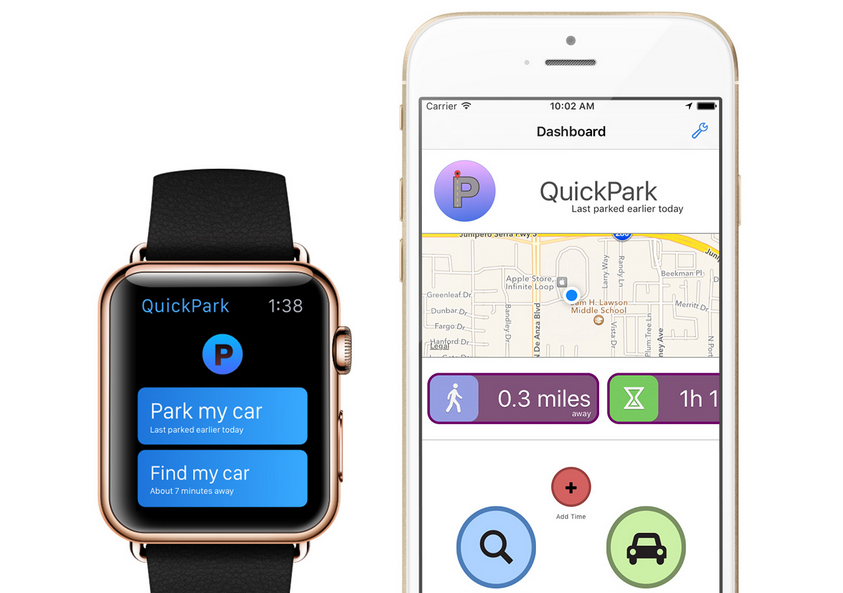







Forgetting where you parked your car can be a very frustrating and time-consuming experience. If you tend to forget where you parked your car while running errands, then you need an app called QuickPark. The free QuickPark iOS app for iPhone and Apple Watch will help you remember the location of your car and send you alerts if your meter is going to run out soon.
Download the QuickPark app from the iTunes store.
Once you have parked your car, open the QuickPark app and it will find your location on the map.
Once it pinpoints your location, tap the Park my car button.
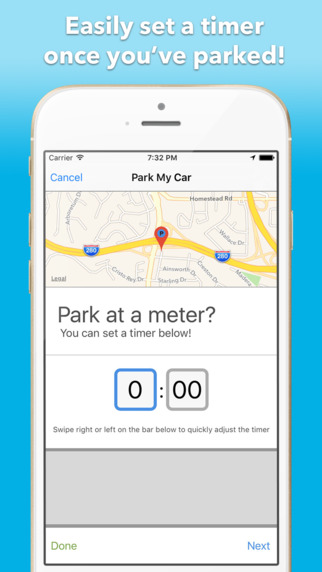
The next screen will ask if you have parked at a meter. If you have, then you can input the amount of time available on the meter. If you lose track of the time during your errands, QuickPark will send you an alert when you have 10 minutes and 5 minutes remaining on your meter.
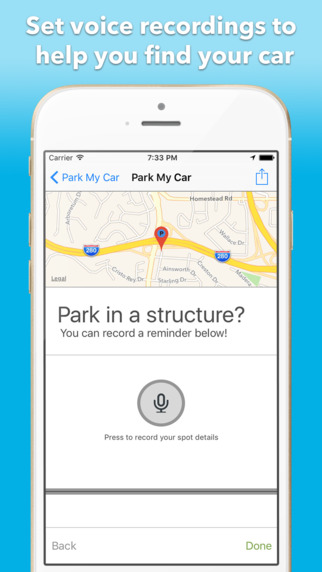
Pinpointing the location of your car can be slightly off as the app will work on the nearest point it can pick up on the map, which may or may not be your car’s actual location, particularly when you are parked in a parking structure. To make up for cases of inaccuracy, QuickPark also allows you to record an audio message with details of where you parked, i.e. B2, Level 3, Parking bay 427. At any stage during your errands, you can open the QuickPark app and the dashboard will show you the location of your car, how far away you are from your car and the amount of time remaining on your meter.
At any stage during your errands, you can open the QuickPark app and the dashboard will show you the location of your car, how far away you are from your car and the amount of time remaining on your meter.
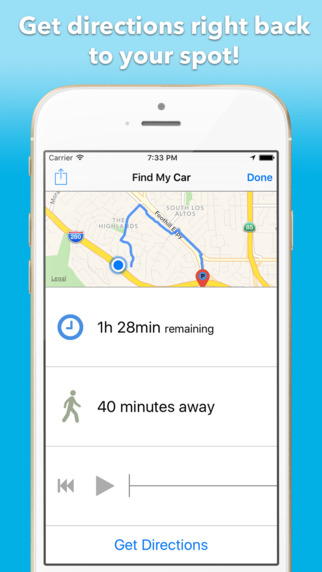
When your errands are done, or you have to get back to your car because your meter is about to run out, simply tap the Find my car button. The QuickPark app will direct you back to your car and show the amount of time it will take you to get there. Once you are close to the location you can also play the audio message you recorded when you parked to know its exact location if your car is in a parking structure.
QuickPark is compatible with iPhone, iPad, iPod Touch, and Apple Watch and requires iOS 8.4 or later.
QuickPark also has a companion app for Apple Watch that will allow you to set a meter timer, record an audio message and give you step-by-step walking or driving instructions back to your car when you are ready to leave.
Support our mission to keep content open and free by engaging with theCUBE community. Join theCUBE’s Alumni Trust Network, where technology leaders connect, share intelligence and create opportunities.
Founded by tech visionaries John Furrier and Dave Vellante, SiliconANGLE Media has built a dynamic ecosystem of industry-leading digital media brands that reach 15+ million elite tech professionals. Our new proprietary theCUBE AI Video Cloud is breaking ground in audience interaction, leveraging theCUBEai.com neural network to help technology companies make data-driven decisions and stay at the forefront of industry conversations.





