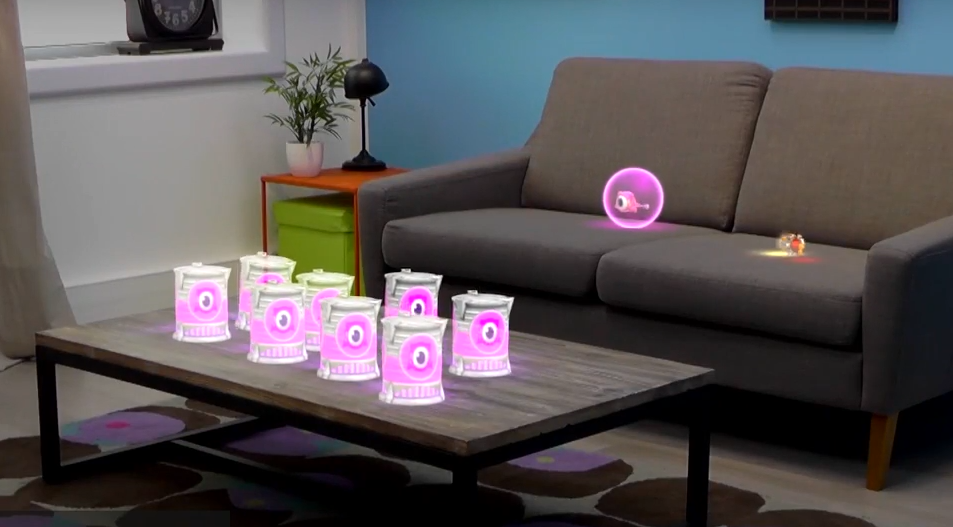







Not everyone has a spare $3,000 for the Microsoft HoloLens Development Edition, which will start shipping in the U.S. and Canada March 30th. If that’s the case, and your yearning to get involved with writing apps for the headset then no sweat, Microsoft has announced a HoloLens Emulator will also be available for budding developers.
The emulator, also available on March 30th, will use keyboard commands, a mouse and an Xbox controller so that developers can test their apps in simulated environments – living room, small and large bedrooms and large spaces (great room).
Microsoft explains in a blog post, “The emulator uses a Hyper-V virtual machine. The human and environmental inputs that would usually be read by the sensors on the HoloLens are instead simulated using your keyboard, mouse, or Xbox controller. Apps don’t need to be modified to run on the emulator and don’t know that they aren’t running on a real HoloLens.”
Microsoft likens controlling the emulator to 3D video games, wherein a simulated person wearing the HoloLens headset is moved around by you using various commands while the apps in the emulator function just as they would do if they were running on the real device.
The only major difference is that you will only see the holograms that you render on the emulator, instead of them being part of the environment as they would when wearing a headset. Microsoft says that if you want to see the blended environment users will need to update the app so that it includes spatial mapping.
Before you start you will need to download Visual Studio 2015 and a good understanding of the development platform for creating 2D/3D games, Unity.
To deploy the emulator Microsoft says:
Load your app solution in Visual Studio 2015.
Note: When using Unity, build your project from Unity and then load the built solution into Visual Studio as usual.
Ensure the Platform is set to x86.
Select the HoloLens Emulator as the target device for debugging.
Go to Debug > Start Debugging or press F5 to launch the emulator and deploy your app for debugging.
Microsoft has also released another video tutorial to help developers.
Support our mission to keep content open and free by engaging with theCUBE community. Join theCUBE’s Alumni Trust Network, where technology leaders connect, share intelligence and create opportunities.
Founded by tech visionaries John Furrier and Dave Vellante, SiliconANGLE Media has built a dynamic ecosystem of industry-leading digital media brands that reach 15+ million elite tech professionals. Our new proprietary theCUBE AI Video Cloud is breaking ground in audience interaction, leveraging theCUBEai.com neural network to help technology companies make data-driven decisions and stay at the forefront of industry conversations.





