



 NEWS
NEWS
NEWS
NEWS
NEWS

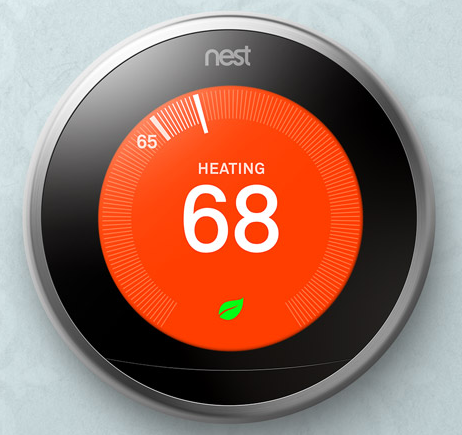
Alphabet Inc.-owned Nest Labs, Inc. released an update to its Nest app for both iOS and Android this week, introducing two new features called Family Accounts and Home/Away Assist that aims to make the home smarter.
Family Accounts lets users add up to 10 members who will be able to access Nest products in the home via the Nest app using their own Nest accounts. This eliminates username and password sharing, as 10 different individuals can use their own Nest accounts to control and monitor Nest products such as the Nest Thermostat, Nest Protect, and Nest Cam, as well as get their own copy of the monthly Home Report.
To set up Family Accounts, users must first update the app. After updating, the app will guide the user on how add new accounts which is as simple as entering an email address of the person you want to add. If you skip this part you can always access it by going to the Family option on the Nest app and start adding members.
For the other new feature, Home/Away Assist, this will be available for each member of the Family Accounts. Home/Away Assist uses a user’s Global Positioning System (GPS) location to determine which users are in or out of the house.
Aside from GPS, Home/Away Assist also uses learning algorithms and activity sensors built into Nest products to determine if anyone is home. If a person is detected inside the house, the system will not go to Away mode to save energy. It only goes to Away mode automatically when everyone is out of the house.
If users are worried Nest will be tracking their whereabouts when they’re out of the house, Nest assures that the system will not be doing that, and will only be monitoring if someone is home or not. Also, Nest reiterates that the data gathered is encrypted.
Home/Away Assist can make smart homes smarter. The Nest Cam can automatically turn on when users leave the house and turn off upon returning; the Nest Thermostat can automatically set the right temperature when the user gets home; the Nest Protect can be set to run Sound Check, a monthly check for its speakers and horns; and even Works with Nest products can operate better with Home/Away Assist.
The ability for more members to view the monthly Home Report as well as be tracked individually can have a positive result for the family as this could encourage members to be more proactive in cutting energy consumption. Users will no longer have to worry about running up their energy bill as Home/Away Assist can turn off connected appliances even if the user forgot to turn them off. Nest products and Works with Nest products can function more efficiently, as Home/Away Assist tells them when they should be working or not.
… We’d like to tell you about our mission and how you can help us fulfill it. SiliconANGLE Media Inc.’s business model is based on the intrinsic value of the content, not advertising. Unlike many online publications, we don’t have a paywall or run banner advertising, because we want to keep our journalism open, without influence or the need to chase traffic.The journalism, reporting and commentary on SiliconANGLE — along with live, unscripted video from our Silicon Valley studio and globe-trotting video teams at theCUBE — take a lot of hard work, time and money. Keeping the quality high requires the support of sponsors who are aligned with our vision of ad-free journalism content.
If you like the reporting, video interviews and other ad-free content here, please take a moment to check out a sample of the video content supported by our sponsors, tweet your support, and keep coming back to SiliconANGLE.






