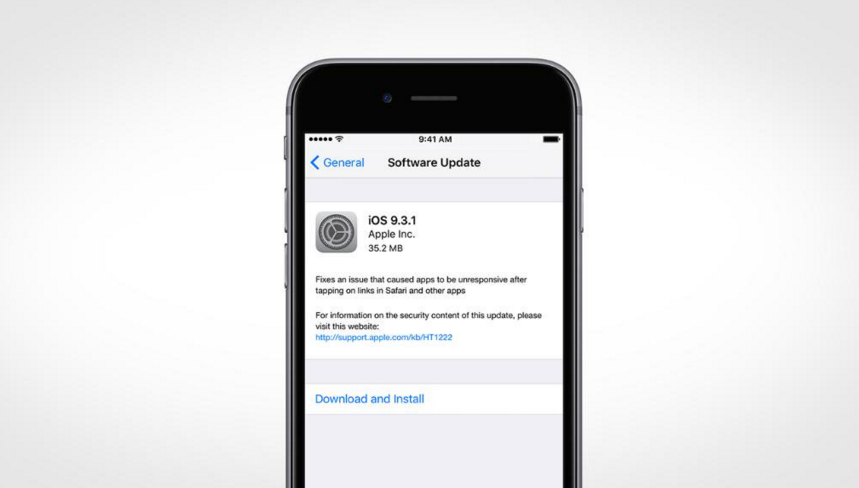







Apple released iOS 9.3 on March 21 and just 10 days later they were forced to release iOS 9.3.1 due to a significant web crashing issue when many users tapped on web links. After updating to iOS 9.3, users found that when they tapped a web link in Safari, Mail, Messages, Notes, Chrome and some other pre-installed or third-party apps, their iPhone or iPad would either freeze or crash.
The actual cause of the issue is yet to be discovered; however, there is speculation that the issue is related to “Universal Links and the Shared Web Credentials daemon.” This allows websites and apps to share login details.
To address this issue Apple released iOS 9.3.1 on March 31. Users can download the latest update over the air (OTA).
Step 1: Backup your data. You can use iTunes or iCloud to backup your device. If you aren’t sure how to do this, read our article on how to backup your device using either iTunes or iCloud.
Step 2: Connect to a charger and a Wi-Fi network. Or, connect your device to your computer with the latest version of iTunes installed and launch iTunes.
Step 3: The iOS 9.3.1 update is available OTA. To update OTA, tap Settings > General > Software Update > click Download and Install.
If this does not work you can select to update via iTunes. To update via iTunes, select your device from the list (assuming you have more than one) > click Check for Updates under Summary.
Step 4: Free up space for iOS 9.3. Your device will prompt you if there is not enough space on your device for the update. It can free up space by temporarily deleting apps and automatically reinstalling them after the update. Or, you can manually free up space on your iPhone, iPad, or iPod touch.
(Optional) Step 5: Schedule the update. You also have the option to schedule the update to install overnight. Simply download the update, schedule it and make sure your device is plugged in.
Support our mission to keep content open and free by engaging with theCUBE community. Join theCUBE’s Alumni Trust Network, where technology leaders connect, share intelligence and create opportunities.
Founded by tech visionaries John Furrier and Dave Vellante, SiliconANGLE Media has built a dynamic ecosystem of industry-leading digital media brands that reach 15+ million elite tech professionals. Our new proprietary theCUBE AI Video Cloud is breaking ground in audience interaction, leveraging theCUBEai.com neural network to help technology companies make data-driven decisions and stay at the forefront of industry conversations.





