






At Mobile World Congress in February, HP Inc. launched the Elite x3 smartphone. The built-for-business mobile device runs Windows 10 and allows you to easily switch between a phablet, desktop PC or laptop experiences using the Continuum feature.
We detail the enterprise-focused smartphone’s specs, the various docking methods available, the additional security and the use of HP Workspace.
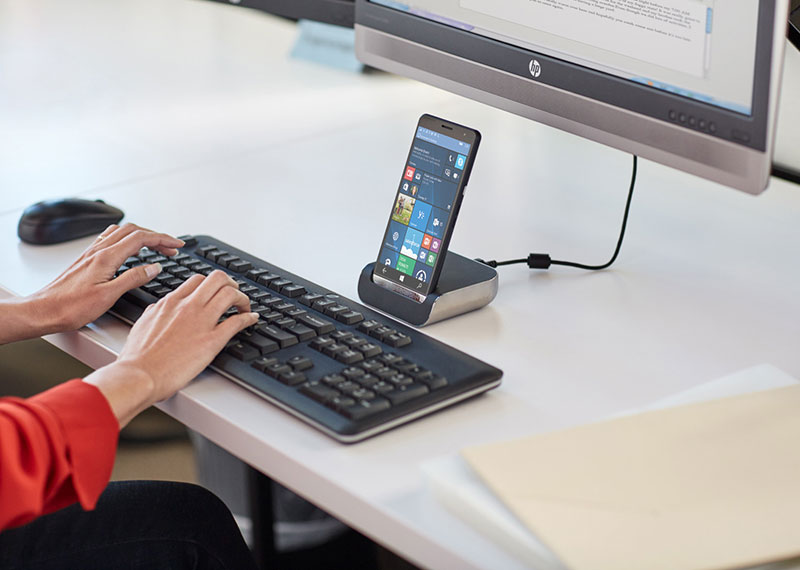
The Elite x3 has a range of connectivity options, including Bluetooth 4.0, 802.11ac Wi-Fi and NFC allowing you to dock and connect to different devices and networks. As the Elite x3 runs Windows 10 you get the Continuum feature, which will automatically alter the Windows UI on the Elite x3 allowing you to have a desktop or laptop experience.
This is achieved by using the Elite x3 Desk Dock, which provides the connection between the smartphone and the desktop monitor. The Desk Dock comes with a DisplayPort, two full-sized USB ports, a USB Type-C port and offers an RJ-45 port for wired ethernet connection. The Elite x3 can be connected to an external monitor using either the DisplayPort or the Type-C port. For a multi-screen experience, connect a mouse, keyboard and external display and the Continuum feature will then adjust the Windows UI for the larger screen.
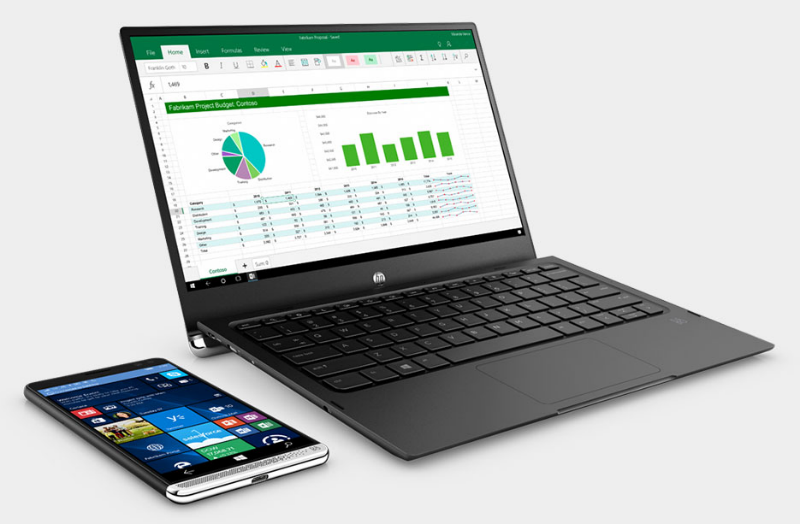
An alternative to a desktop setup is a laptop experience using the 12.5-inch Lap Dock, which comes with a 1920 x 1080 display, Bang & Olufsen audio, and its own battery. Once the Elite x3 is connected to the Lap Dock via the USB Type-C port, the Lap Dock will make use of the smartphone’s Qualcomm Snapdragon 820 processor. The lack of a processor means that the Lap Dock weighs just 2.2 lbs. In addition to three USB Type-C ports, there is also a Micro HDMI port while the Lap Dock’s large battery can also be used to charge the Elite x3 phablet.
Once the Elite x3 is docked you can access Universal Windows Platform apps, including pre-installed apps like Excel, PowerPoint, and Word. It will also work with apps downloaded from the Windows Store.
However, as the Elite x3 runs a mobile version of Windows 10 you won’t get access to a true desktop experience. As the HP Elite x3 is positioned as a smartphone for enterprise users, the company has a solution to these limitations with HP Workspace.
HP Workspace is an enterprise-class remote desktop service, set up by your company, filled with virtualized third-party x86 programs. You will then access these programs on the Elite x3 or when using the Desk Dock or Lap Dock.
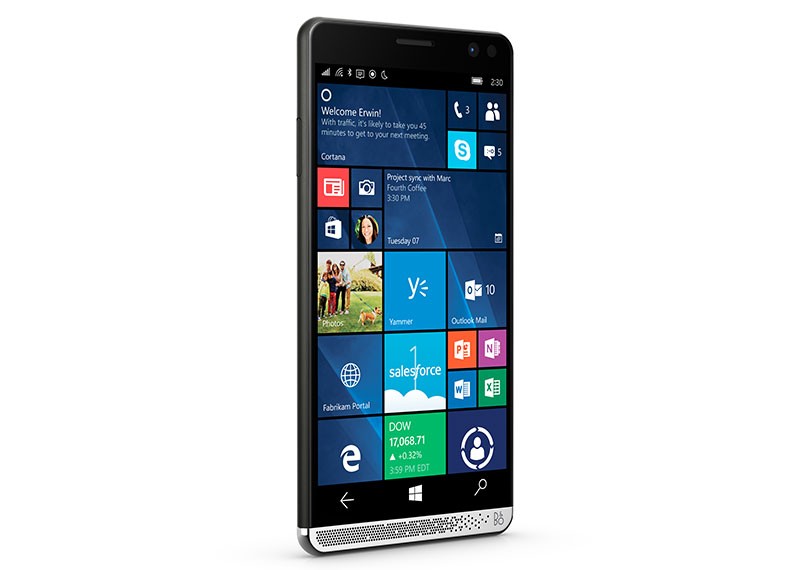
The Elite x3 comes with integrated security measures built into the operating system and hardware. It has dual biometrics with fingerprint and iris scanner and the Qualcomm Snapdragon 820 processor includes Secure Boot. The Elite x3 has 128-bitkey Unified Image Encryption, 256-bitkey Full Disk Encryption, and an enterprise-grade VPN.
The HP Elite x3 starts at $699 and starts shipping in the U.S. on August 29. If you are interested in the availability of the HP Elite x3 you can sign up on the HP site and be notified when it is available. The HP Elite x3 will be available in 47 countries across the globe.
You will also be able to purchase both the HP Elite x3 and the Desk Dock for $799. Another bundle combines the HP Elite x3, the Desk Dock, and the Lap Dock, price and availability is unconfirmed.
Check out the HP Elite x3 in action in the video below.
Sources: Liliputing; Windows Central; HP
Support our mission to keep content open and free by engaging with theCUBE community. Join theCUBE’s Alumni Trust Network, where technology leaders connect, share intelligence and create opportunities.
Founded by tech visionaries John Furrier and Dave Vellante, SiliconANGLE Media has built a dynamic ecosystem of industry-leading digital media brands that reach 15+ million elite tech professionals. Our new proprietary theCUBE AI Video Cloud is breaking ground in audience interaction, leveraging theCUBEai.com neural network to help technology companies make data-driven decisions and stay at the forefront of industry conversations.





