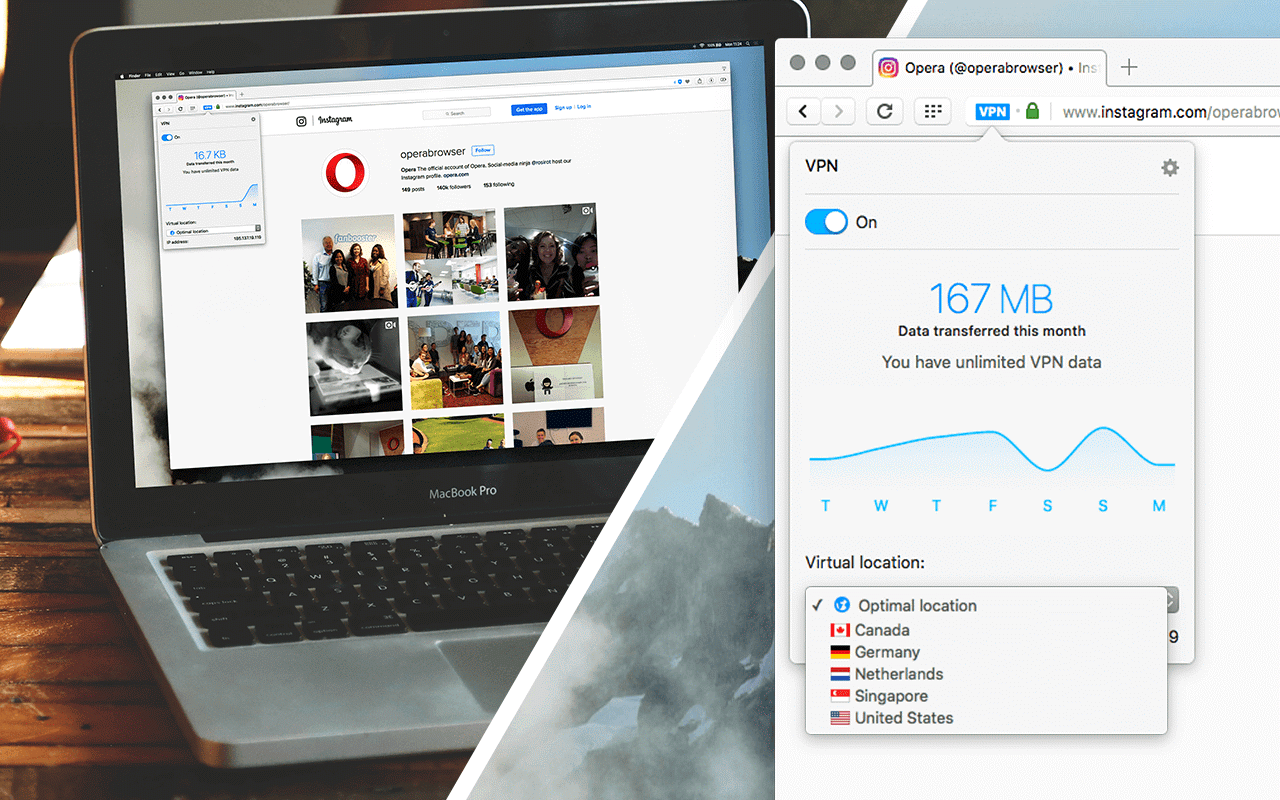







With the release of its latest browser, Opera Software ASA has included a free built-in virtual private network (VPN) service, among other new features. The Opera VPN has no restrictions on bandwidth; however, the server locations are limited to five countries at this stage.
Make sure you have the latest browser, Opera 40, installed on your machine. To enable the VPN, go to Settings (Mac users: go to Preferences) in the browser > Privacy & Security > toggle the VPN option.
Going forward, a VPN icon will appear in the address bar, allowing you to easily switch it On or Off.
When turning the VPN on, you will be able to select from five locations, including the U.S., Canada, Germany, the Netherlands, and Singapore. Alternatively, select an “Optimal” endpoint and Opera will select the optimal server location based on network speed, latency, location and server capacity. You will also be shown stats of the amount of data used.
Back in May, Opera released a free VPN app for iOS users. Unlike other VPN providers, the Opera VPN app has no paid subscriptions, so in order to generate an income from the service it collects anonymous data from users, which could be an issue for some users.
Opera, which was acquired by a consortium of Chinese companies earlier this year for $1.2 billion, insists the new web browser VPN will not collect any user data. In a statement to PCWorld, an Opera spokesperson said, “The service is provided by SurfEasy Inc. which is a Canadian company that has not been acquired by the Chinese conglomerate. SurfEasy acts under strict Canadian privacy laws.”
In addition to the free, built-in VPN service, Opera 40 also includes automatic battery saving, video pop-out improvements, RSS support for Opera’s personal newsreader, as well as various under-the-hood improvements.
Opera 40 also offers support for Chromecast. To get started, download and install the Chrome extension from the Opera catalogue. Next, install the Google Cast extension. Chromecast on Opera is limited to YouTube videos at this stage.
Source: Opera
Support our mission to keep content open and free by engaging with theCUBE community. Join theCUBE’s Alumni Trust Network, where technology leaders connect, share intelligence and create opportunities.
Founded by tech visionaries John Furrier and Dave Vellante, SiliconANGLE Media has built a dynamic ecosystem of industry-leading digital media brands that reach 15+ million elite tech professionals. Our new proprietary theCUBE AI Video Cloud is breaking ground in audience interaction, leveraging theCUBEai.com neural network to help technology companies make data-driven decisions and stay at the forefront of industry conversations.





