



 NEWS
NEWS
NEWS
NEWS
NEWS

Social media giant Facebook Inc. is launching a new Craigslist-like storefront called Marketplace, which is aimed at letting people buy and sell things in their local community.
According to Facebook, more than 450 million users are already buying and selling things within specialized Facebook Groups, and now the new Marketplace platform will give those users a streamlined, centralized place to peddle their goods.
“Marketplace makes it easy to find new things you’ll love, and find a new home for the things you’re ready part with,” Mary Ku, director of product management at Facebook, wrote in a blog post. “We’ll continue to build new options and features to make this the best experience for people.”
The virtual storefront is Facebook’s fourth try at running a place for people to sell stuff to each other. They didn’t take off, at least as distinct marketplaces, because people generally haven’t seen Facebook as a place to buy and sell things. Moreover, Craigslist and eBay have stubbornly held mindshare among consumers looking to unload their used goods or find deals on used merchandise locally.
Marketplace will be rolling out to the Facebook app over the next few days in the U.S., the U.K., Australia and New Zealand, and Facebook said that other countries will be added in the near future. The social network also said that it will eventually bring Marketplace to the desktop site, but for now, it will only be available through the mobile app. Facebook noted that the Marketplace feature will appear only to users who are over 18 years old.
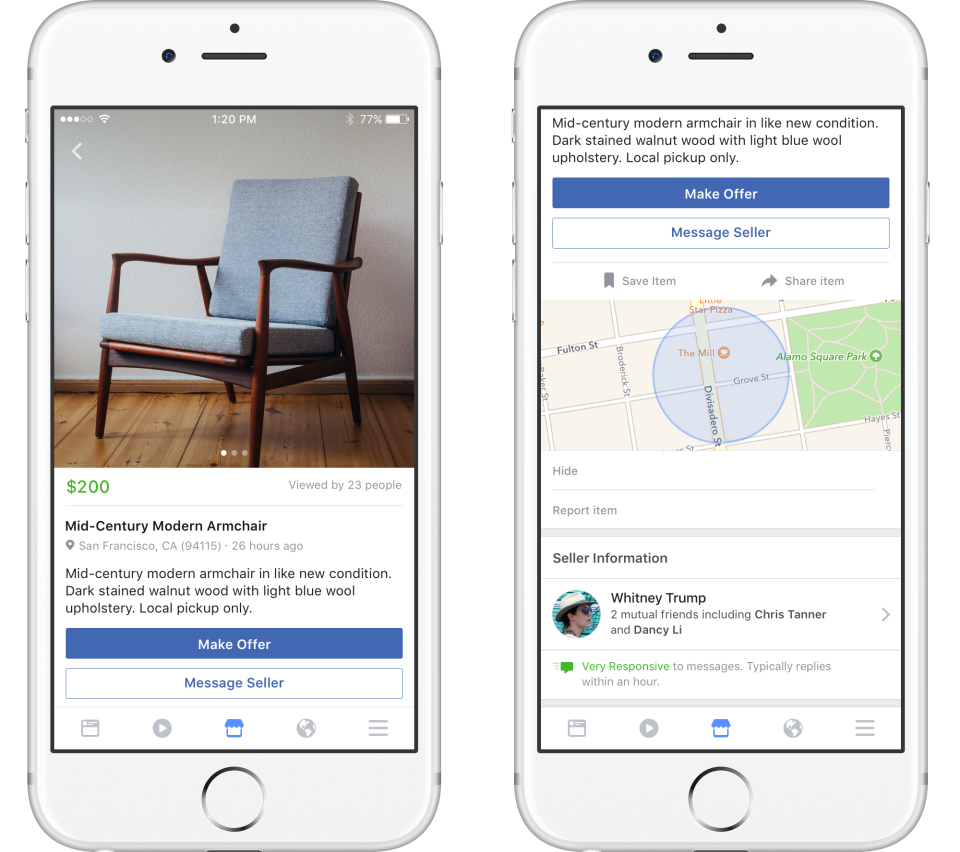
To access new Facebook Marketplace, simply tap the shop icon at the bottom of the Facebook app.
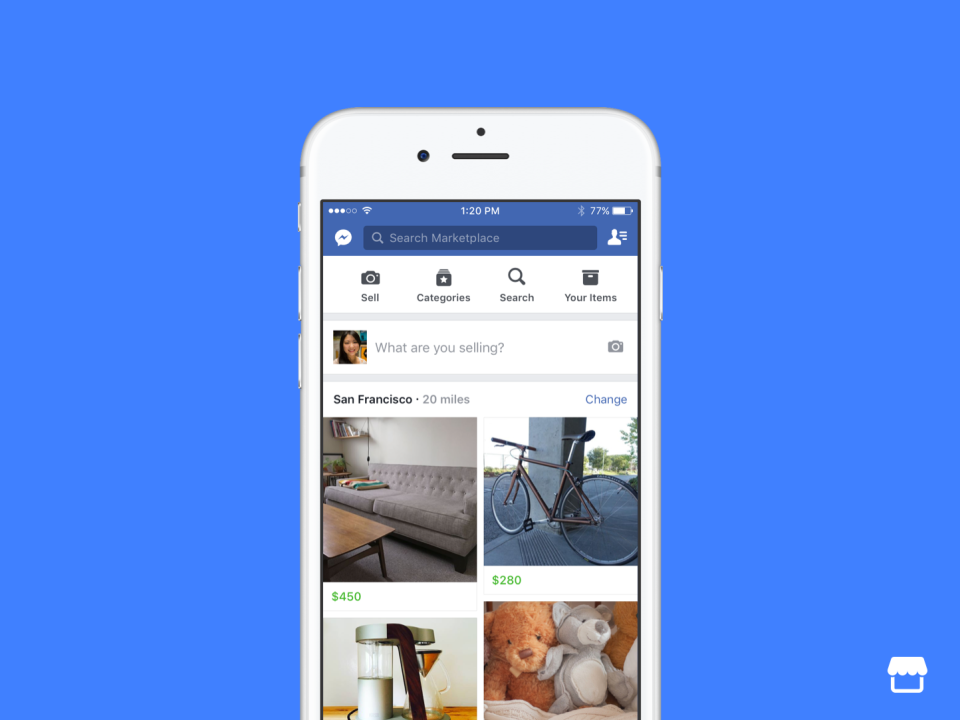
Marketplace is heavily image-focused, and when you first open the storefront, you will see only pictures of items for sale with their attached price. There is also a search feature that lets you filter items by location, category or price.
Once you find an item you like, you can tap on its picture to get more information on its description, price and location, along with some basic information on the seller. If you decide to buy, tap the “Make Offer” button and enter the amount you would be willing to pay. There is also a “Message Seller” option if you want to get more information on the item or if you want to try to haggle the price down.
From that point, Facebook makes no guarantees about the sale, and Ku noted in her blog post that “Facebook does not facilitate the payment or delivery of items in Marketplace.”
Selling items through Marketplace is about as straightforward as it can be. Here are Facebook’s instructions for listing your items:
… We’d like to tell you about our mission and how you can help us fulfill it. SiliconANGLE Media Inc.’s business model is based on the intrinsic value of the content, not advertising. Unlike many online publications, we don’t have a paywall or run banner advertising, because we want to keep our journalism open, without influence or the need to chase traffic.The journalism, reporting and commentary on SiliconANGLE — along with live, unscripted video from our Silicon Valley studio and globe-trotting video teams at theCUBE — take a lot of hard work, time and money. Keeping the quality high requires the support of sponsors who are aligned with our vision of ad-free journalism content.
If you like the reporting, video interviews and other ad-free content here, please take a moment to check out a sample of the video content supported by our sponsors, tweet your support, and keep coming back to SiliconANGLE.






