 APPS
APPS
APPS
APPS






APPS

Microsoft Corp. has announced the first set of features that will start rolling out to Xbox One users who are part of the Insider Program.
Features include a simplified home screen, new multitasking features, a Copilot feature and new Cortana functionality, among others.
Earlier this month, Microsoft announced new gaming features that will be arriving this year. The new features, which will be available for Xbox One and Windows 10 PCs, include the ability to instantly stream to Beam and your Xbox Live community. Microsoft will also introduce a new Game Mode and new tournaments are coming to Arena on Xbox Live.
Here’s a look at the first set of features that have started rolling out this week:
The below updates are rolling out to a small group of Xbox Insider Program members while the rest of the Insiders will receive it in the coming weeks.
Microsoft hasn’t announced when the Creators Update will be available for all Xbox One users, but it’s expected sometime in the spring when the company rolls out the Creators Update for PCs and phones.
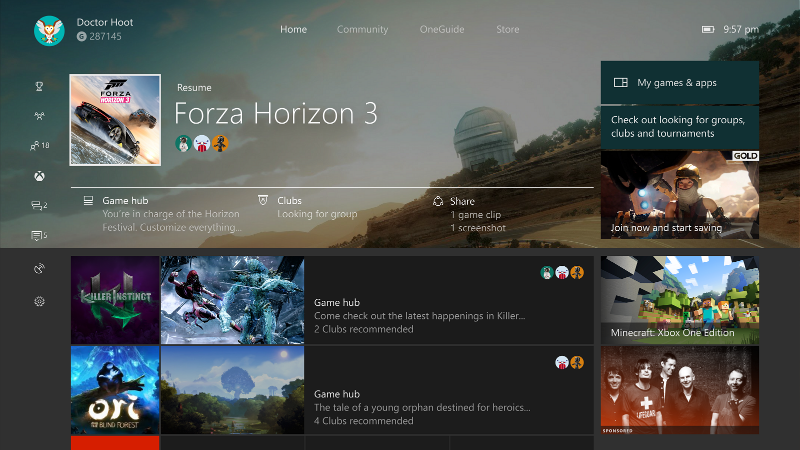
With the new Home screen, you will continue to see the title of the game you are currently playing at the top of the screen. However, the icon has been made smaller while there are new options to explore related content, like the Game Hub, view your Achievements, interact with your Club or go Looking for Groups for that specific game.
The artwork in the background of the Home screen will relate to the game you are currently playing, unless you have chosen a custom background.
With one press of the Xbox button on the controller, you will get access to the updated Guide, which appears as an overlay on the left side of the screen. Here you will have access to your recently played games and apps, top Pins and media controls for when you are playing music.
The Xbox multitasking features have also been updated to work with the Guide’s new features.
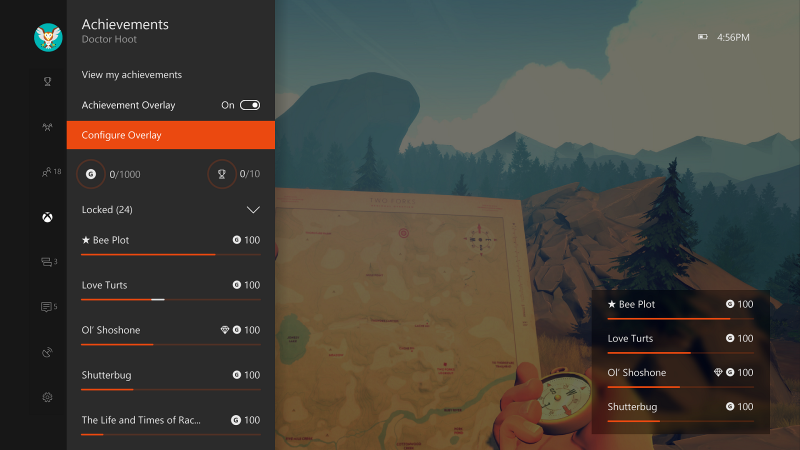
One press on the controller will give you access to music, screenshots and GameDVR. Press the Xbox button to access the Guide and then press “X” or “Y” on the controller to record a specific section of your game. The new achievement tracker lets you simultaneously track your achievements and play your game.
When it gets rolled out in the next few weeks you will also be able to use the Guide to instantly broadcast to Beam.
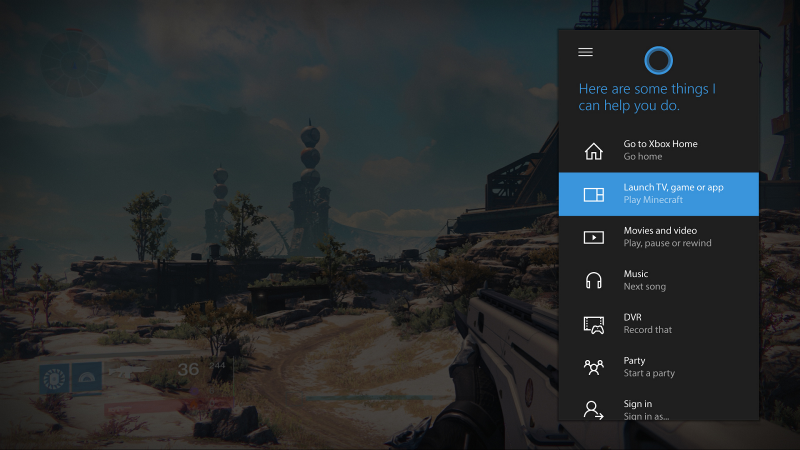
Microsoft is planning to release more Cortana updates over the coming weeks. As part of this update, you can use Cortana to set reminders and alarms so you don’t miss out on any gaming experiences.
The Xbox One’s new Copilot feature allows two controllers to act as a single controller allowing new gamers to get some help. The update also includes improvements for Magnifier and Narrator, more audio output options and custom rumble settings on the controller.
To access these features, go to Settings > Ease of Access.
Support our mission to keep content open and free by engaging with theCUBE community. Join theCUBE’s Alumni Trust Network, where technology leaders connect, share intelligence and create opportunities.
Founded by tech visionaries John Furrier and Dave Vellante, SiliconANGLE Media has built a dynamic ecosystem of industry-leading digital media brands that reach 15+ million elite tech professionals. Our new proprietary theCUBE AI Video Cloud is breaking ground in audience interaction, leveraging theCUBEai.com neural network to help technology companies make data-driven decisions and stay at the forefront of industry conversations.





