 APPS
APPS
APPS
APPS






APPS

Uber Technologies Inc. is making it easier for drivers and riders to stay in contact, without the need to share private phone numbers.
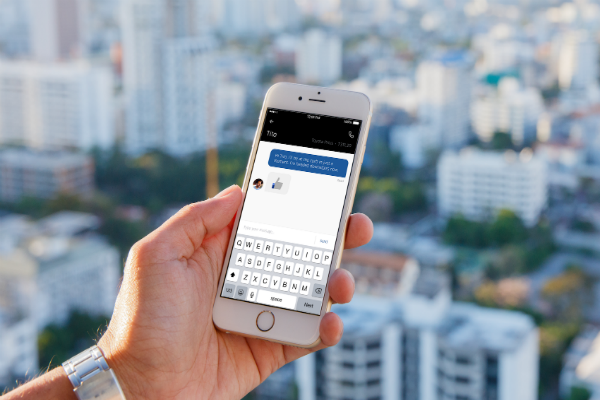
The ride-hailing company has launched in-app chat, which will allow riders and drivers to communicate without leaving the app. Any messages received from a rider will be read aloud to the driver and they can respond accordingly with a thumbs-up emoji.
Following an extended period of turmoil at the company, Uber launched its “180 Days of Change” mission in June and has since rolled out a tipping option for drivers. Other improvements over the period include shorter cancellation window, per-minute payments for waiting time, expanded driver destinations, improved driver insurance options and more cash for teen fares.
The main advantage of Uber’s latest app update is drivers and riders won’t have to share their phone numbers with each other. The company makes use of an anonymizing technology, which will display a rider or driver’s phone number as a random number if they communicate outside of the Uber app.
Unfortunately, not all users get to enjoy this technology. Although it’s available in the U.S. and other countries, it hasn’t been rolled out to certain emerging markets. For this reason, Uber decided to update its app with the new in-app chat feature, according to a company spokesperson.
Uber is attempting to make the pickup as easy as possible for both the driver and rider and trying to keep people inside the app for as long as possible. This latest update comes a few months after Uber introduced the ability for iOS users in the U.S., the U.K. and Canada to alter their pickup location slightly when the driver is already on their way. Uber also redesigned its app at the end of last year when it introduced integrations with Snapchat, Yelp, Pandora and the ability to add friends as a destination.
The new in-app chat is rolling out globally over the “coming weeks” to all Uber drivers and riders. To get access to the latest feature, you will need to update your Android or iOS Uber app.
If a rider needs to communicate with their Uber driver when they are en route to give them additional details about their pickup location, they can go to the Uber feed > tap “Contact” > type the message > tap Send.
Note: Both riders and drivers will receive delivery and read receipts.
To prevent drivers getting distracted by their mobile phone while driving, when they receive an Uber in-app message it will be read aloud. They can acknowledge the message by sending a thumbs up emoji with a single tap.
Support our mission to keep content open and free by engaging with theCUBE community. Join theCUBE’s Alumni Trust Network, where technology leaders connect, share intelligence and create opportunities.
Founded by tech visionaries John Furrier and Dave Vellante, SiliconANGLE Media has built a dynamic ecosystem of industry-leading digital media brands that reach 15+ million elite tech professionals. Our new proprietary theCUBE AI Video Cloud is breaking ground in audience interaction, leveraging theCUBEai.com neural network to help technology companies make data-driven decisions and stay at the forefront of industry conversations.





