



 APPS
APPS
APPS
APPS
APPS

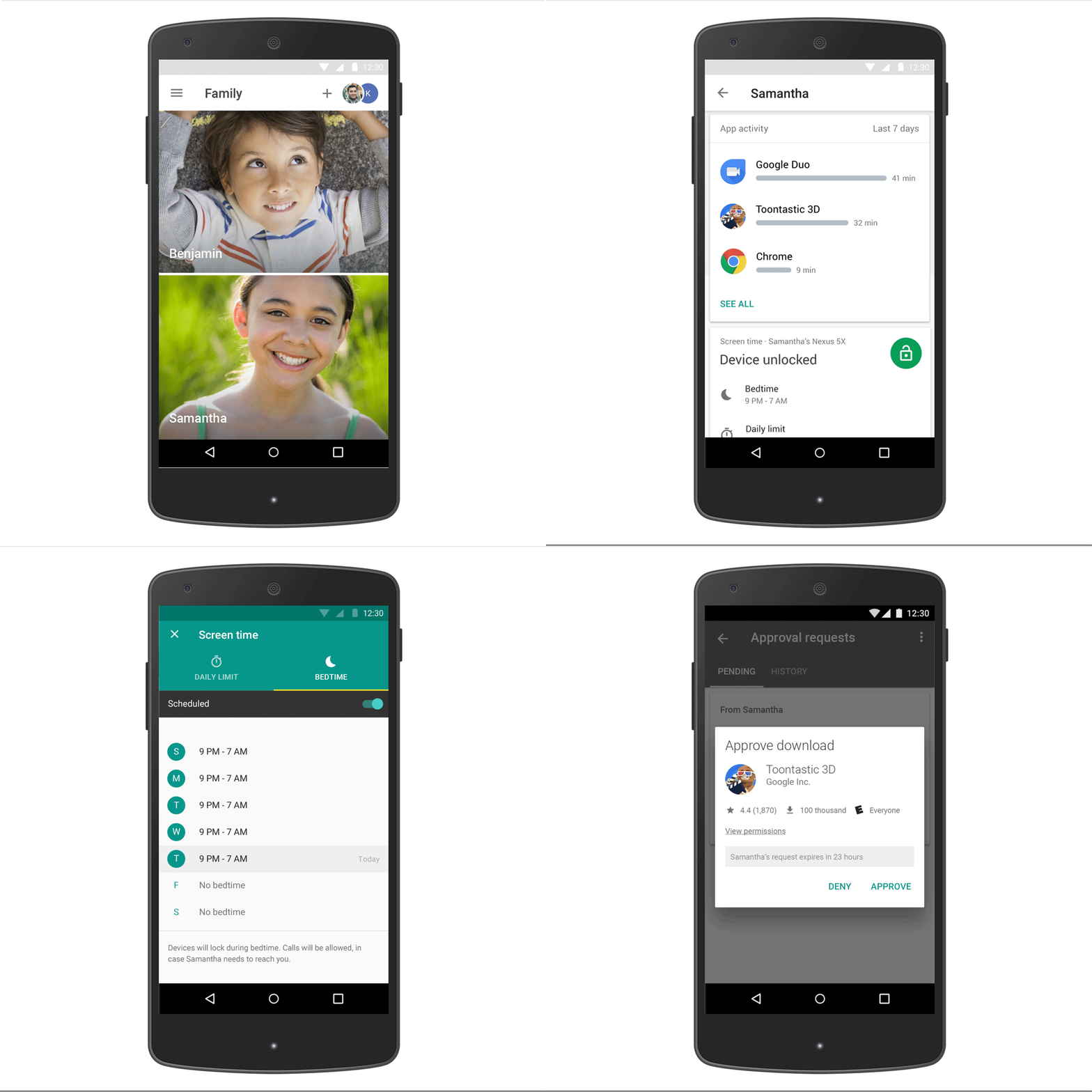
Google LLC’s Family Link app is now available to the public, giving parents a way to remotely monitor and control their children’s Android devices.
Google announced Family Link in March as an invitation-only app targeting parents who wanted more control over their kids’ phones and tablets. The app lets parents manage what apps their kids can access and how much time they can spend on their devices each day. Family Link also allows parents to set a device bedtime, which automatically locks the device at certain times of the day, such as during school or at night.
Family Link is now available for Android devices running Nougat (7.0) and higher, as well as a select few devices running Android Marshmallow (6.0). The app for parents is also available on iPhones running iOS 9 and higher, but there is currently no iOS support for the kids’ version of the app.
“Kids are the most curious among us, and technology can be an avenue for them to express their creativity and to help them learn—whether they’re doing research for a school report, learning to string together a few chords on a guitar, or just playing their favorite games,” said Saurabh Sharma, a product manager at Google’s Kids and Families division. “At the same time, we want parents and kids to navigate technology together in a way that makes sense for their family.”
Parents can get started with Family Link when they set up their child’s Android device. When creating a Google account for a user who is younger than 13 years old, Family Link will automatically be downloaded on their device. Parents can then download the app on their own device to change settings and monitor their child’s usage whenever they want.
When Family Link was announced, Google Vice President of Engineering Pavni Diwanji said that while the app can help parents gain better control over their kids’ mobile devices, Family Link “can’t make the apps or services on their phone that were designed for adults kid-safe; it’s up to parents to choose what’s right for their kid.”
On the website for Family Link, Google also offers a few tips to help parents keep their children safe online. These tips include suggestions for better passwords, information on how to use content filters, tools to maintain privacy and so on.
… We’d like to tell you about our mission and how you can help us fulfill it. SiliconANGLE Media Inc.’s business model is based on the intrinsic value of the content, not advertising. Unlike many online publications, we don’t have a paywall or run banner advertising, because we want to keep our journalism open, without influence or the need to chase traffic.The journalism, reporting and commentary on SiliconANGLE — along with live, unscripted video from our Silicon Valley studio and globe-trotting video teams at theCUBE — take a lot of hard work, time and money. Keeping the quality high requires the support of sponsors who are aligned with our vision of ad-free journalism content.
If you like the reporting, video interviews and other ad-free content here, please take a moment to check out a sample of the video content supported by our sponsors, tweet your support, and keep coming back to SiliconANGLE.






