 APPS
APPS
APPS
APPS






APPS

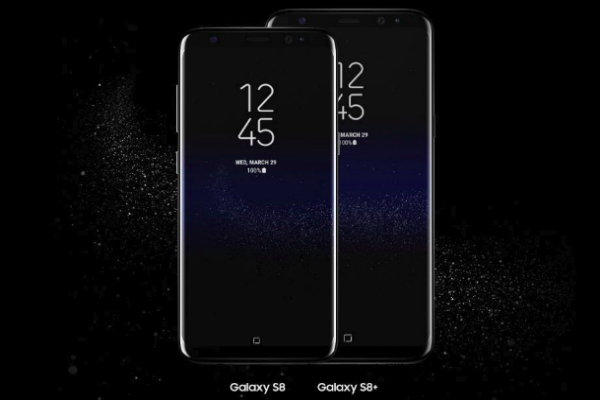
With Samsung Electronics Co. Ltd.’s announcement Thursday of the availability of Samsung Experience 9.0 beta, select Samsung Galaxy S8 and S8+ owners will now be the first Galaxy users to test all the latest Android Oreo features.
Samsung Experience replaces TouchWiz and brings Android 8.0 features that, in some cases, have been slightly modified by the company. Android Oreo started rolling out to Nexus and Pixel phones in August.
The ability to test Android Oreo on the Galaxy S8 and S8+ is only available for device owners in the U.S., U.K. and South Korea, with no mention from the company when it will be available on its latest flagship, the Note8.
Samsung Experience 8.5 was released with the Note8, while the upcoming Galaxy S9, due out in February before Mobile World Congress, will sport Samsung Experience 9.0.
For U.S. residents interested in signing up for the beta of Samsung Experience 9.0, you will need a Galaxy S8 or S8+ using Sprint or T-Mobile network carriers or have an unlocked version. U.K. users will need to have an unlocked device.
If you are a Samsung Galaxy S8 or S8+ owner in the U.S., U.K. or South Korea and meet the requirements above with regards to unlocked devices or carrier restrictions, you will need to download the Samsung+ app from the Play Store or Galaxy Apps.
Note: Because this is still a beta version there are bound to be some bugs, so make sure you back up your device before you install the beta.
Once the Samsung+ app has installed on your device, open the app and find the Registration menu where you will find additional information about the Galaxy Beta Program > register for the program. In your Settings menu, search for firmware updates. Once the installation is complete, you will be running a beta build of Android Oreo on your device.
Samsung’s press release is lacking in details in what users can expect from Samsung Experience 9.0, but details have started emerging from beta testers.
Samsung Experience 9.0 beta includes Oreo-only features that have received minimal changes from the company. These include notification badges or dots that will display the number of notifications in a small circle in the corner of the app icon, with the color of the badge matching colors from the app icon. The notification badges on app icons are obviously synced with the notification panel.
There are also limitations of apps running in the background and app shortcuts that also display notifications.
Samsung Experience 9.0 beta includes Android 8.0’s notification channels, which allows users to separate notifications into channels and allocate specific alerts to a certain channel, but Samsung has tweaked the functionality slightly. Icons will also show at the bottom of the notification panel for apps that have notifications that aren’t visible.
The company is also bringing certain Gboard features, like the ability to search and send GIFs, to its own Samsung Keyboard.
Some of the other features in Samsung Experience 9.0 beta are specific to Samsung, like using touch and hold to change the Edge Panel’s trigger position and improvements to DeX’s user interface. The beta also sees a reported overall improvement in speed and performance.
Support our mission to keep content open and free by engaging with theCUBE community. Join theCUBE’s Alumni Trust Network, where technology leaders connect, share intelligence and create opportunities.
Founded by tech visionaries John Furrier and Dave Vellante, SiliconANGLE Media has built a dynamic ecosystem of industry-leading digital media brands that reach 15+ million elite tech professionals. Our new proprietary theCUBE AI Video Cloud is breaking ground in audience interaction, leveraging theCUBEai.com neural network to help technology companies make data-driven decisions and stay at the forefront of industry conversations.





