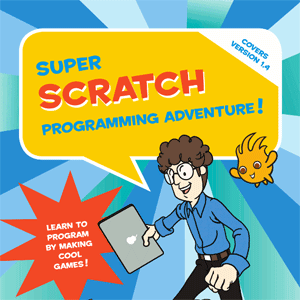







 Introducing kids to programming at an early stage is a great idea, provided the tool is also interesting and easy to use. In order to assist tech- savvy kids in their programming learning endeavors, No Starch Press has come up with a graphical drag-and-drop programming tool that takes out the risk of syntax errors. This tool named Super Scratch Programming Adventure (SSPA) not only encourages kids to do programming, but also helps them sneaks in real programming concepts and techniques in a fun, colorful manner.
SSPA offers up 10 Stages (chapters) that use a comic book format to teach programming with the Scratch programming tool. The best part is that Scratch is 100 percent free to download and use. All you need to do is to down and install it on your system from scratch.mit.edu. It works on all operation systems, and is a relatively low-demand application that will run on even older computers.
What’s more interesting about SSPA is the comic book tutorial pattern. For teaching kids anything, you need to have an element of entertainment that should attract and engage them. And that’s exactly this book does. Kids can learn by exploring the book that demonstrates the use of the Scratch application in an intriguing manner.
The book has bright colors for graphics, which instantly grabs attention. Besides, the user interface of Scratch is extremely simple, and you can actually design a fairly complex game with this without any difficulty. There is an interesting opening section labeled “A Note for Parents and Educators” that provides tech details on running Scratch as well as some online resources for help and inspiration.
The end of the book has three Bonus Stages that provide a bit more programming activities, a nice tutorial on blending Scratch programming with the PicoBoard microcontroller that has built-in sensors that can be controlled via Scratch (light and sound) as well as push-button, slider controller, and four inputs for additional electronics components to be attached.
Bonus Stage 2 even provides a couple of game programs that can be downloaded and used with the PicoBoard — students can rip apart the programs to see how the game was made. Bonus Stage 3 provides a lot of online resources, including links to forums, downloadable sprites (the characters and items in your games), and much more.
So, if you’ve got kids or students who want to make their own games, Scratch is a great tool!
Support our mission to keep content open and free by engaging with theCUBE community. Join theCUBE’s Alumni Trust Network, where technology leaders connect, share intelligence and create opportunities.
Founded by tech visionaries John Furrier and Dave Vellante, SiliconANGLE Media has built a dynamic ecosystem of industry-leading digital media brands that reach 15+ million elite tech professionals. Our new proprietary theCUBE AI Video Cloud is breaking ground in audience interaction, leveraging theCUBEai.com neural network to help technology companies make data-driven decisions and stay at the forefront of industry conversations.





