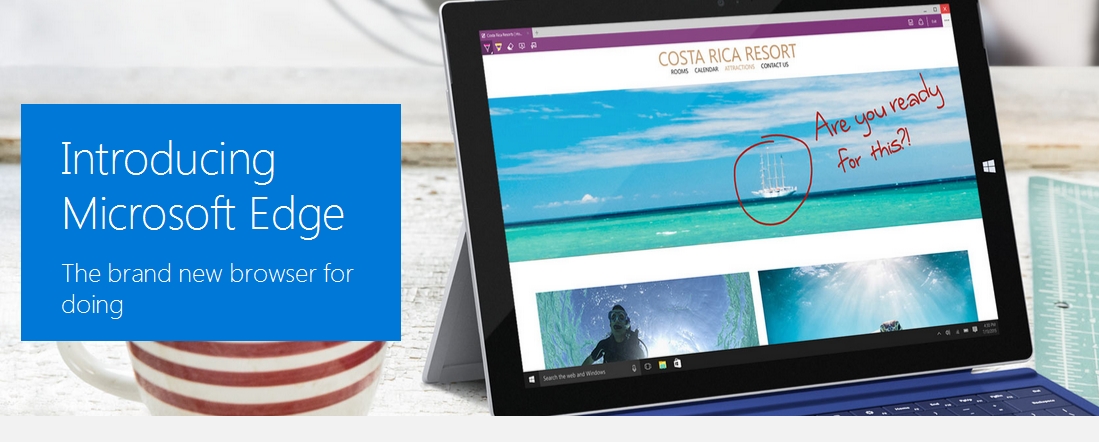







Microsoft has finally revealed the name of its next browser, and it’s not Spartan — it’s Microsoft Edge. Project Spartan was made available in the Windows 10 Technical Preview back in March, with ample warning to eager users of the usual early stage kinks. Nevertheless, the sneak peek into Edge’s world offers enough insight to set initial expectations for Microsoft’s latest browser efforts.
Will Microsoft Edge truly be the death of Internet Explorer? Here’s what you need to know:
Over the years, Internet Explorer has been the butt of jokes on and off the Internet. Looking to lose the stigma, Microsoft wants to provide a browser that works well in desktop and mobile environments.
Windows 10 mobile devices will support Microsoft Edge, but for other Windows 10 devices, Internet Explorer and Microsoft Edge will be made available for backwards compatibility. Microsoft Edge will be available in the Windows Store for download and future updates when it finally becomes available to the general public.
To be clear, Internet Explorer is not going away completely, well at least not for now.
The Internet Explorer logo is iconic. You know that you’re opening a browser when you click on a lower case “e” logo on any computer, and Microsoft is banking on this feeling of familiarity, thus the Edge logo looks similar to the old logo. It’s still a lower case “e” sans the orbit, with an edgier design.
Webpages will look more interesting with the new annotation facility that allows users to write, doodle, give directions on webpages, and even share these notes via social media, email or save it on OneDrive. Cortana, Microsoft’s digital assistant, will also be running in the background of Microsoft Edge providing relevant information all the while.
There are also new features to prioritize bookmarked reading material, such as Reading List and Reading View.
Expect extensions of the same caliber as those found on Firefox and Chrome with Edge, as developers note that it uses the same JavaScript and HTML standard code used by the other two browsers. Joe Belfiore, Microsoft’s vice president for PC-Tablet-Phone, also stated that extensions for Firefox and Chrome will only require minimal coding for them to work on Edge. Unfortunately, this feature will not be available in Windows 10 RTM (release to manufacturing) when it launches this summer, but should be available as an update.
Microsoft Edge won’t be available until Windows 10 is officially released later this year, but if you’re a developer, you can get it through the Windows 10 Technical Preview.
Support our mission to keep content open and free by engaging with theCUBE community. Join theCUBE’s Alumni Trust Network, where technology leaders connect, share intelligence and create opportunities.
Founded by tech visionaries John Furrier and Dave Vellante, SiliconANGLE Media has built a dynamic ecosystem of industry-leading digital media brands that reach 15+ million elite tech professionals. Our new proprietary theCUBE AI Video Cloud is breaking ground in audience interaction, leveraging theCUBEai.com neural network to help technology companies make data-driven decisions and stay at the forefront of industry conversations.





