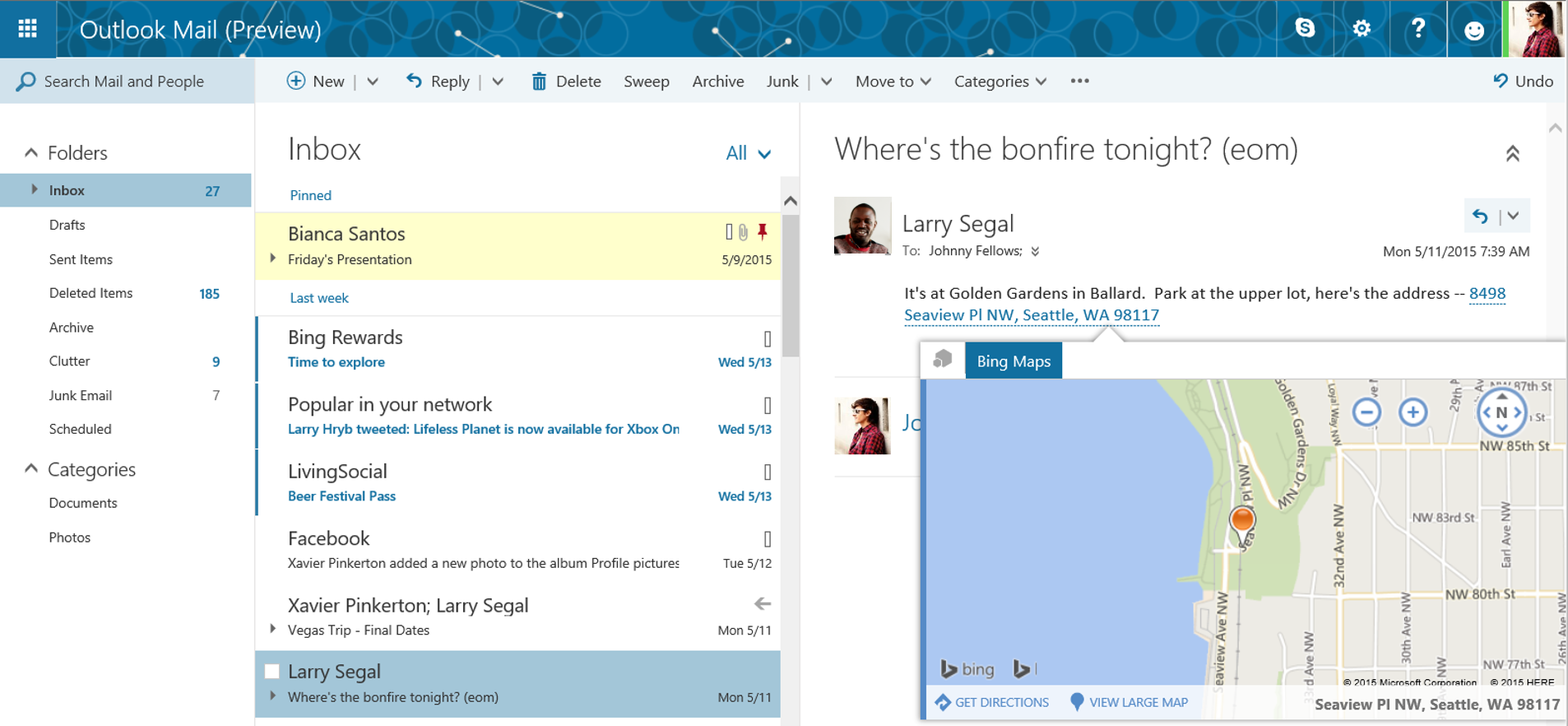







Tons of new features have been added to Outlook.com as part of an expansive update, including a bunch of new themes, ways to make your inbox more manageable, collaboration features, improvements to the calendar, as well as using Skype from email, and simplified file sharing in OneDrive. The update is now available as a preview to only a limited amount of customers with an aim to make it available to a wider audience in the coming weeks.
What to expect?
The facelift: Outlook.com now has 13 new themes with graphic designs, something Microsoft says will mirror your personality. Carl Jung would be proud.
A Clutter feature should help you see what’s relevant and lose what’s not. The feature works with you, learning from your behavior what you generally do and don’t want to see. If you’re uncertain Clutter has your best interests at heart, simply turn it off. In terms of Inbox manageability there’s also a Suggestions and Refinement search function that helps you to find the content you need. Pins and Flags are now added, helping you to keep what’s relevant in your face and follow-up on what you might otherwise have let drift into the swamp of old messages. While looking at huge tracts of text you can now also Highlight, pulling out keywords.
From now on people won’t have to open links to see what’s been sent. A new Link Preview feature lets you see the content without having to open it. It doesn’t only work with webpages, but with video links, too. An Inline image feature has also been added which allows you to stick images exactly where you want them in messages.
The Add-ins feature means improved synchronicity. Bing Maps, My Templates and Suggested Meetings add-ins are now part of Outlook.com, with Uber, Boomerang and PayPal as third party add-ons. Microsoft promises that new partnerships will be announced soon.
Finally Side-by-side views has been added, meaning that you can edit Office documents at the same time as replying to emails. “Best of all,” says Microsoft, is, “any changes you make to the file are automatically saved and attached to your response when you hit send—no need to download, edit, save and re-attach the revised file.”
If users of the Preview are not satisfied with the many changes, Microsoft has opened a space for criticism in the form of the Outlook UserVoice site, where people can leave feedback.
Support our mission to keep content open and free by engaging with theCUBE community. Join theCUBE’s Alumni Trust Network, where technology leaders connect, share intelligence and create opportunities.
Founded by tech visionaries John Furrier and Dave Vellante, SiliconANGLE Media has built a dynamic ecosystem of industry-leading digital media brands that reach 15+ million elite tech professionals. Our new proprietary theCUBE AI Video Cloud is breaking ground in audience interaction, leveraging theCUBEai.com neural network to help technology companies make data-driven decisions and stay at the forefront of industry conversations.





