






You can manually extend your Android smartphone’s battery life by adjusting certain features like Bluetooth, NFC or GPS. You can also check to see whether apps are constantly pinging for updates or if your device is set to adjust its brightness automatically. Adjusting these features or placing your device in airplane mode will allow you to gain some precious battery life.
Alternatively, you can download a battery saving app that will do the work for you and help extend your battery life by hours in some cases.
Battery saving apps can be helpful even if you have Android 6.0 Marshmallow installed on your device that comes with the new Doze mode. Using your device’s motion sensor, Doze mode will shut down unnecessary background processes when it detects your device has been stationary for an extended period with the screen off. Read more about Android’s Doze mode in our comparison piece with iOS 9’s Low Power mode.
Here are five apps that can help boost the battery life on your Android smartphone.
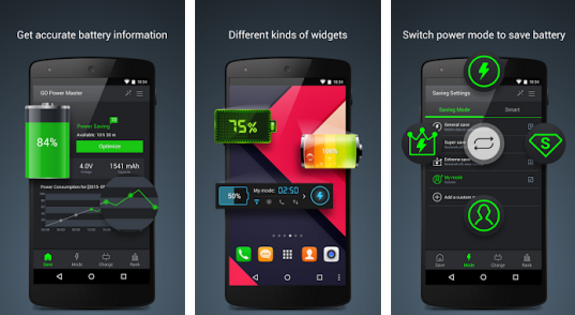
The Go Battery Saver & Power Widget allows you to choose between three preset power saving modes including general, super and extreme. Alternatively, you can also create a custom power saving mode.
The widget will analyze which apps are having the biggest impact on your device’s battery life. Based on the battery score that the widget assigns, you can decide which of your device’s features you want to disable to extend your battery.
Tap the Optimize button, the app will clean-up any unnecessary processes and you will gain an extra hour of battery.
Download the free version of Go Battery Saver & Power Widget from the Play Store.
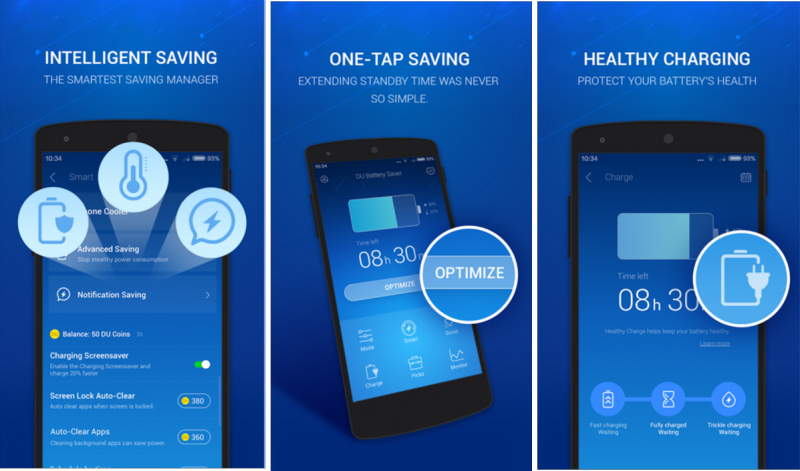
Like other battery saving apps, the DU Battery Saver & Phone Charger allows you to choose from various preset battery power usage modes or you can create your own custom mode.
Tap the Optimize home screen widget to stop power-sapping background apps and boost your smartphone’s battery life.
The DU Battery Saver & Phone Charger’ Phone Cooler feature will monitor, manage and disable CPU-intensive apps, helping to reduce your phone’s temperature to a safe level.
Download the free version of DU Battery Saver & Phone Charger from the Play Store.
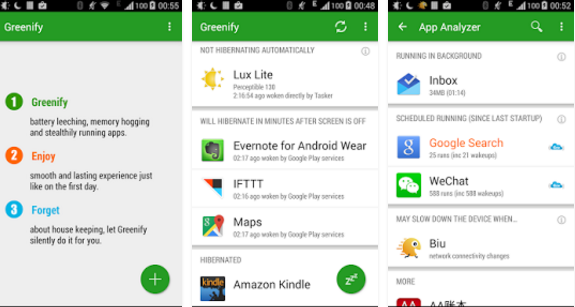
Waking a sleeping app takes less battery power then restarting an app. With Greenify you can select which lower priority apps you want it to put to sleep and ultimately extend your battery life.
If you have Android 6.0 installed on your smartphone you can also take advantage of Greenify’s other features that takes advantage of Android’s Doze mode.
Instead of waiting hours, Aggressive Doze will place your device into Doze Mode within minutes instead of hours. Instead of stopping the tasks, Shallow Hibernation will rather suspend background functions.
Download the free version of Greenify from the Play Store.
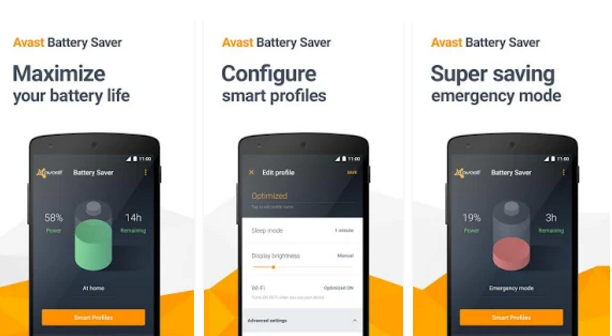
The Avast Battery Saver helps improve your smartphone’s performance and provides you with a precise estimate of your remaining battery life.
You can choose between four preset modes including Work, Home, Night and Super-Saving Emergency, which you can switch between manually or select the modes can switch automatically based on your connection to your home or work Wi-Fi network.
The Avast Battery Saver will turn off Wi-Fi, limit connections to the Internet, and detect and stop power-draining apps.
Download the free version of Avast Battery Saver from the Play Store.
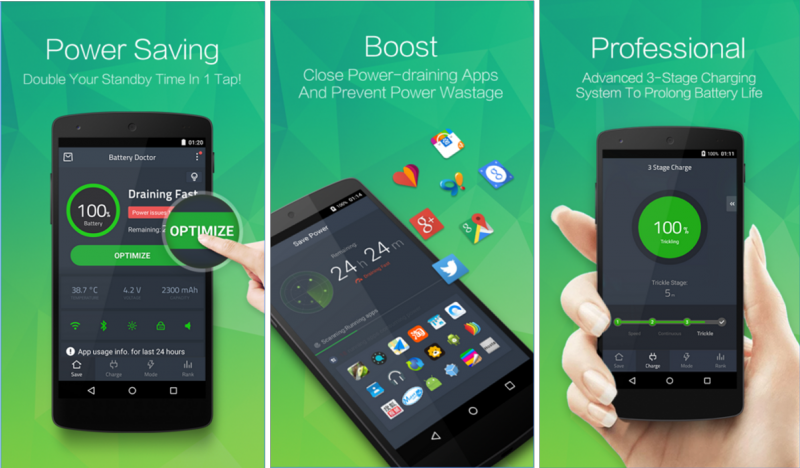
The Battery Doctor allows you to see what is draining your battery, can adjust your power consumption settings like brightness and disable unnecessary apps.
The 3 Stage Charging System will regulate how your smartphone is charged ensuring you get the most out of the battery and avoid overcharging your device’s battery.
The Battery Doctor will also provide accurate estimates of your remaining battery life based on a variety of situations, including whether Wi-Fi is on or off, if you are playing games etc.
Download the free version of Battery Doctor – Weather Widget from the Play Store.
Support our mission to keep content open and free by engaging with theCUBE community. Join theCUBE’s Alumni Trust Network, where technology leaders connect, share intelligence and create opportunities.
Founded by tech visionaries John Furrier and Dave Vellante, SiliconANGLE Media has built a dynamic ecosystem of industry-leading digital media brands that reach 15+ million elite tech professionals. Our new proprietary theCUBE AI Video Cloud is breaking ground in audience interaction, leveraging theCUBEai.com neural network to help technology companies make data-driven decisions and stay at the forefront of industry conversations.





