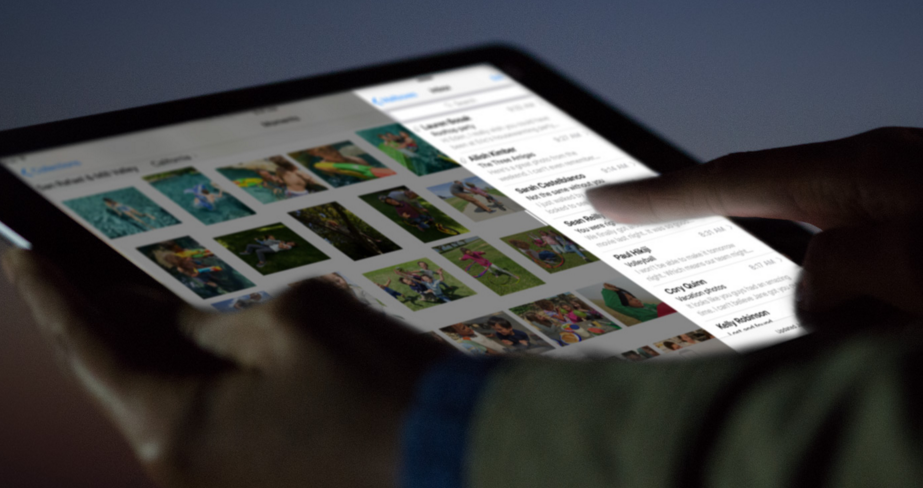







Apple on Monday released iOS 9.3, the latest iteration of its iOS 9 mobile operating system released alongside the iPhone 6s and 6s Plus last fall. iOS 9.3 has been in beta for a few months and brings a host of new features, including Night Shift, security for sensitive Notes, improvements to CarPlay, Health, News, and more.
There is, however, one key reason why you should update your iPhone to iOS 9.3: in iOS 9.3, Apple fixed a security flaw that leaves photos and videos shared via the iMessage app vulnerable to hackers.
Read on to learn more about the more fun features in iOS 9.3.
Night Shift is intended to make using your iPhone or iPad at night easier on your eyes as well as less detrimental to your sleep. Blue light emitted by your device’s screen can interrupt your circadian rhythms, potentially making it harder to fall asleep if you’ve been using your device around bedtime.
Using your device’s clock and location, Night Shift will automatically shift display colors to the warmer end of the spectrum to reduce blue light. You can also turn on Night Shift manually if you’d like.
In iOS 9.3, you can protect potentially sensitive information contained in your Notes app using a password or your fingerprint. Here’s how to secure your notes with a password or Touch ID in iOS 9.3.
Additionally, notes can now be sorted by date created, date modified, or alphabetically.
Apple’s nascent News app also sees new features in IOS 9.3, including a new landscape viewing mode on iPhone, improved curation in the For You section, inline video, and faster content updates.
Improvements to the Health app in iOS 0.3 include the ability to discover HealthKit-enabled apps to install through a scrolling list of compatible apps at the bottom of the Weight, Workouts, and Sleep category pages.
The Health app will now also show you activity data collected by your Apple Watch like move, exercise, and stand metrics.
CarPlay in iOS 9.3 sees improvement in two areas: Apple Music now shows the New and For You sections; and Maps now supports the Nearby feature to let you find gas, parking, restaurants, coffee, and more.
iOS 9.3 has a few new features exclusively for schools that deploy iPads to faculty and students. There’s a new Apple School Manager portal to manage multiple iPads, Managed Apple ID, a Shared iPad feature that lets multiple users share devices, and a new Classroom app that lets teachers guide learning, share work, and manage student devices, including checking what’s on a student’s iPad screen at any given time and launching a specific app.
On the iPhone 6s and 6s Plus, iOS 9.3 adds new 3D Touch support for the Weather, Settings, App Store, iTunes and Compass apps. Users can now also duplicated photos in the Photos app, letting them keep the original and edit a copy. Siri now understands Hebrew, Finish, and Malay.
Support our mission to keep content open and free by engaging with theCUBE community. Join theCUBE’s Alumni Trust Network, where technology leaders connect, share intelligence and create opportunities.
Founded by tech visionaries John Furrier and Dave Vellante, SiliconANGLE Media has built a dynamic ecosystem of industry-leading digital media brands that reach 15+ million elite tech professionals. Our new proprietary theCUBE AI Video Cloud is breaking ground in audience interaction, leveraging theCUBEai.com neural network to help technology companies make data-driven decisions and stay at the forefront of industry conversations.





