







Gmail is used by millions, but unfortunately, there are a few gaps in what it can do for users. Thankfully if you are using Gmail on Chrome there are a wide range of various Chrome extensions available that will make Gmail that much more impressive.
We look at some of the best Gmail Chrome extensions available, including extensions that will give you shortcut tips, details about the person sending you emails, the ability to secure your emails and more.
This Chrome extension allows you to search for specific emails and read the messages in your inbox while offline. You can also draft responses to your emails that will be sent as soon as you are connected. Install the Gmail Offline extension > open a new tab in Chrome > click the Gmail Offline icon and the Gmail Offline will load.
Download Gmail Offline Sync Optimizer to enhance the efficiency of synchronization once you are back online.
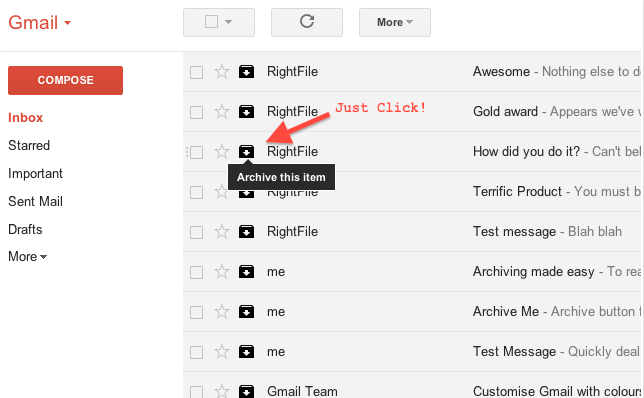
This simple extension adds up to four action buttons, including archive, delete, mark as read/unread or mark as spam, next to each of your emails. If you have a lot of emails in your inbox that you need to get through, this avoids you having to select or open each message separately to perform the action.
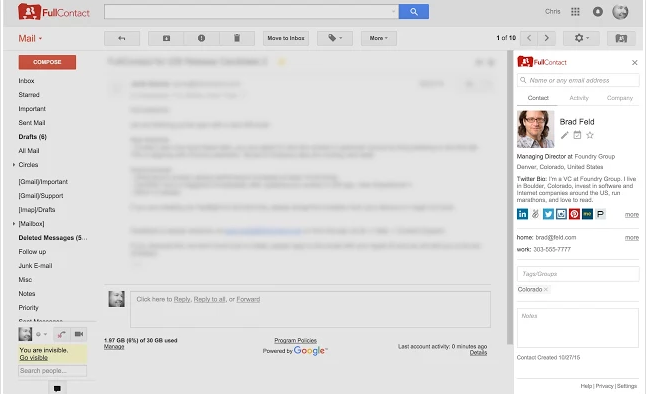
FullContact allows you to know everything about the person emailing you. You will be able to see the sender’s full profile, including photo, job title, location and company information. You will also see their social links and will be able to see their latest tweets and Facebook posts.
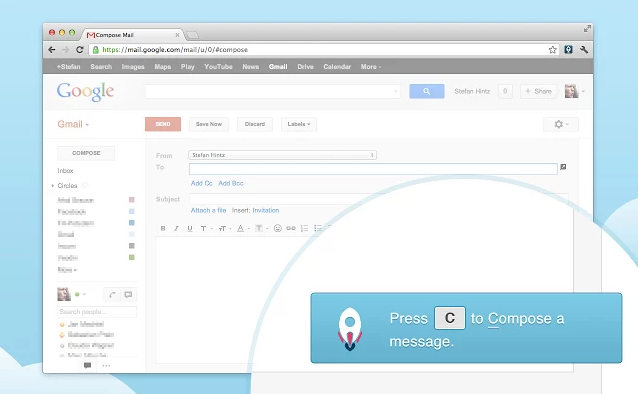
KeyRocket teaches you all the various shortcuts available for Gmail by tracking your moves. The extension will provide subtle pop-up suggestions when there is a quicker shortcut available compared to the multiple mouse clicks you just completed.
While it is never advisable to send sensitive information over email, sometimes it is necessary. Secure Mail for Gmail allows you to encrypt your email and only the intended recipient will be able to decrypt it. Install the extension > refresh Gmail > click the lock icon (next to the compose button) > compose your message > click Send > enter a password. The recipient of the email will require the same password to decrypt the email.
If you have multiple Gmail accounts then Checker Plus for Gmail is the extension for you. The extension includes voice notification that will read you an incoming email if your are busy or visually impaired. It also includes desktop notifications and offline view.
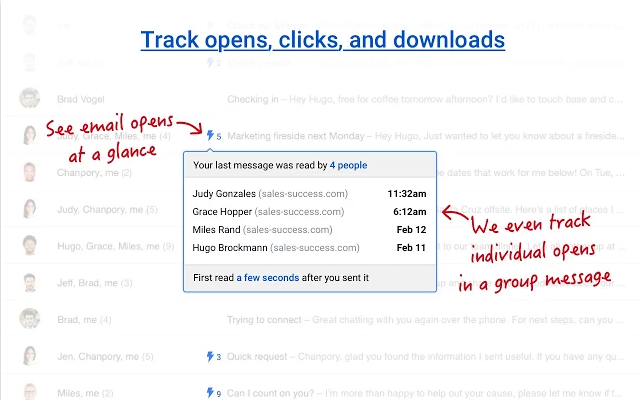
MixMax Chrome extension adds a variety of features to your Gmail account, including email tracking, ‘send later’ scheduling, one-click business templates, the ability to share any email to Slack or Salesforce, and more.
You can also schedule meetings quicker with MixMax. Write your email > click Share availability > select your available times in your calendar > Insert Availability > Send. The recipient of your email will be able to select a time that suits them and MixMax will schedule the meeting and send out a confirmation email.
A feature that is missing from Gmail is the ability to strikethrough text. If this is a feature that you miss then you can install the Strikethrough Chrome extension.
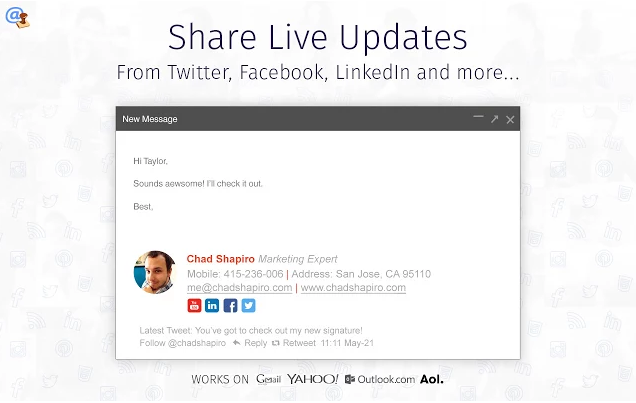
The WiseStamp Chrome extension allows you to create a more exciting signature for each of your emails. WiseStamp allows you to add your photo, company logo, links to your social media profiles, your latest tweets etc.
Boomerang allows you to schedule emails to be sent at a later time or date, without you being online. It also allows you to postpone incoming emails. They will disappear from your inbox and reappear at a specific time. Boomerang is also a reminder service that will alert you if you haven’t received a response to an email.
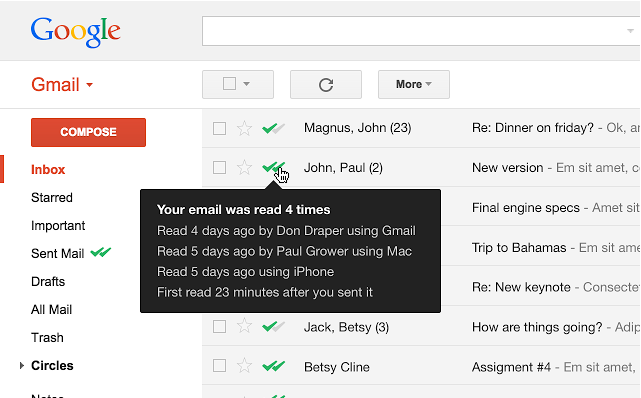
Stay on top of who is reading your emails, or ignoring them, with MailTrack. This email tracking extension adds double checkmarks next to each of your emails when it has been read. You can also see when the message was read, how many times it has been opened and on which device. On the dashboard, you will be able to see all your emails that haven’t been opened yet.
While email tracking on the messages you send may be useful, you might get irritated when people are tracking to see whether you are reading their emails. PixelBlock will block these tracking alerts on emails sent to you. The extension will display a red eye icon when it detects and blocks a tracking attempt on an email that you just opened.
Sources: PCWorld; PCWorld; PCMag
Support our mission to keep content open and free by engaging with theCUBE community. Join theCUBE’s Alumni Trust Network, where technology leaders connect, share intelligence and create opportunities.
Founded by tech visionaries John Furrier and Dave Vellante, SiliconANGLE Media has built a dynamic ecosystem of industry-leading digital media brands that reach 15+ million elite tech professionals. Our new proprietary theCUBE AI Video Cloud is breaking ground in audience interaction, leveraging theCUBEai.com neural network to help technology companies make data-driven decisions and stay at the forefront of industry conversations.





