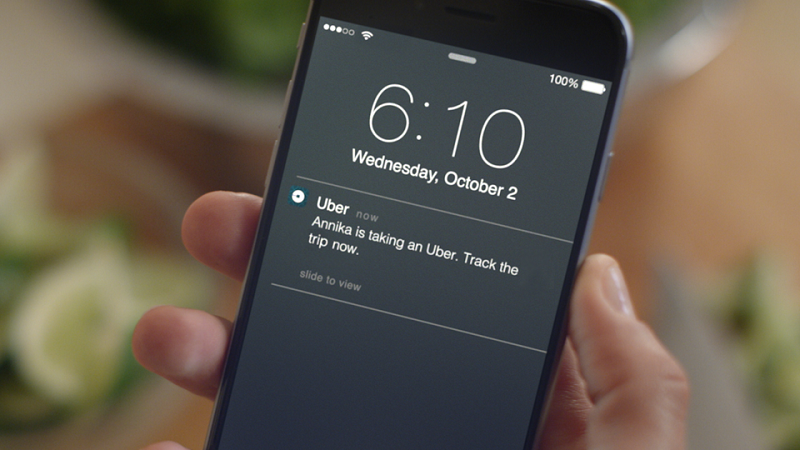







Uber Technologies Inc. released Family Profiles in March, a convenient feature that allows up to 10 family members, friends etc. to share a single payment method. The company has now introduced a new tool that will allow you to track the Uber rides of the members of your Family Profile. The feature is called Trip Trackers and will allow you to see when they are taking an Uber ride, track their progress and know when they have arrived at their destination.
While this information is available in the emailed receipt that you receive once the ride is complete, Trip Trackers allows you to monitor the ride in real-time.
Uber has told TechCrunch that Family Profiles has proven to be a very popular feature for customers. Family Profiles have been created in over 60 countries, with the U.S., Brazil, Mexico, Indonesia and Colombia loving the feature the most. The feature also seems to be most popular on weekends, with 50 percent of Family Profile rides taking place between Friday and Sunday.
If you already have your Family Profile set up and have the latest version of the Uber app installed on your smartphone, you will start receiving automatic Trip Tracker notifications every time one your Family Profile’s members takes an Uber Ride.
If you have not set up a Family Profile yet, you can follow the instructions below.

Download the latest version of the Uber app for iOS, Android or Windows Phone.
If you have not done it already, you will need to set up a Family Profile to obviously make use of Trip Tracker.
Once your Family Profile is set up, every time one of its members takes an Uber, you will be notified with their trip details.
You can then choose to follow the live progress of the trip on the map within the Uber app on your smartphone.
As before, the cost of the trip will automatically be billed to you and both you and the rider will receive a copy of the receipt for the Uber trip.
Support our mission to keep content open and free by engaging with theCUBE community. Join theCUBE’s Alumni Trust Network, where technology leaders connect, share intelligence and create opportunities.
Founded by tech visionaries John Furrier and Dave Vellante, SiliconANGLE Media has built a dynamic ecosystem of industry-leading digital media brands that reach 15+ million elite tech professionals. Our new proprietary theCUBE AI Video Cloud is breaking ground in audience interaction, leveraging theCUBEai.com neural network to help technology companies make data-driven decisions and stay at the forefront of industry conversations.





