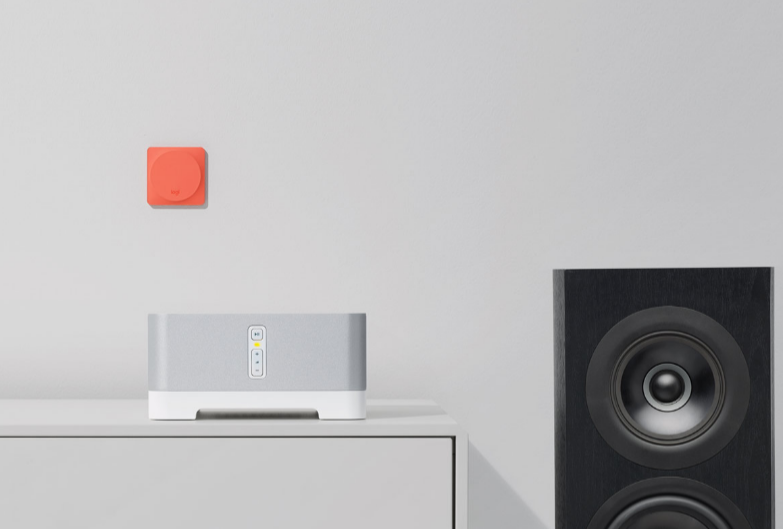







Logitech International S.A. has launched a smart home button called Pop that will allow you to control various devices around your home.
Using the accompanying app, the Pop home switch can be programmed to control up to three different things, including support to control your lights, music, blinds, locks, and more. The more Pop buttons you add to your home, the more smart home devices you can control.
Unlike other smart home setups that require you to control your devices using an app, once set up the Pop home switch allows anyone in the home to control the devices with a single press. This gives control over to anyone in your home, from the kids to the babysitter, to house sitters, etc.
We look at the easy setup process for the Pop, its price and availability and what it can actually control in your smart home.
![ProEXR File Description =Attributes= cameraAperture (float): 36 cameraFarClip (float): 100000 cameraFarRange (float): 100000 cameraFov (float): 23.9137 cameraNearClip (float): 0 cameraNearRange (float): 0 cameraProjection (int): 0 cameraTargetDistance (float): 200 cameraTransform (m44f): [{0.970296, 0.0311585, 0.239907, 3.0205}, {0.241922, -0.12497, -0.962214, -19.7927}, {-3.72529e-009, 0.991671, -0.128796, 0.353812}, {0, 0, 0, 1}] channels (chlist) compression (compression): Zip16 dataWindow (box2i): [0, 0, 3999, 3999] displayWindow (box2i): [0, 0, 3999, 3999] gamma (float): 1 lineOrder (lineOrder): Increasing Y pixelAspectRatio (float): 1 screenWindowCenter (v2f): [0, 0] screenWindowWidth (float): 1 tiles (tiledesc): [64, 64] type (string): "tiledimage" =Channels= A (half) B (half) G (half) R (half)](http://siliconangle.com/files/2016/08/Logitech-Pop-2.jpg)
Logitech has made the setup process for the Pop home switch incredibly easy. Using the companion app available on iOS and Android, you will scan your Wi-Fi network for compatible smart home devices.
Note: The iOS app requires iOS 9 or higher while the Android app requires Android 4.4 or higher. Both apps will be available in the coming weeks.
You can then decide which devices you want to connect to each of your Pops by simply dragging and dropping them to your relevant Pop Home switch. Alternatively, you can create a Recipe to control more than one device at a time.
The Pop hub plugs directly into an outlet while each of the Pop buttons connects to the hub via Bluetooth LE. The Pop home switch can either be mounted on the wall of a specific room or can be portable and move around the house with you.
The individual Pop button, measuring 4.96 x 4.96 x 2.48 inches, can be programmed with up to three triggers. A single press of the button, a double press or a long press will trigger each of the actions that you have set up.
Compatible devices at this stage, include Philips Hue lights, LIFX connected bulbs, Lutron smart drapes, Sonos speakers, August locks and a variety of other smart home devices.
You can set up your Pop to control a single device like closing the blinds, or you can set up Recipes to control multiple devices with a single trigger, like turn down the lights, close the blinds and switch the music on.
The Pop can also work with Logitech’s own Harmony remote, allowing you to control one-touch Harmony Activities with a single press of your Pop button. Activities such as ‘Listen to Music’ or ‘Watch TV’ can combine various smart home devices, like blinds, locks, lights, etc. with home entertainment devices, like the TV.
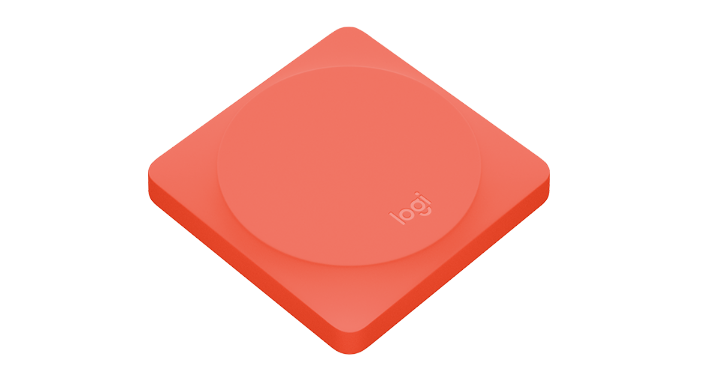
The Pop starter pack comes with two Pop home switch buttons and a hub and will retail for $100. You can then buy additional Pop buttons, which come in a range of four colors, for the other rooms in your home at a cost of $40 each.
Both the starter pack and the individual Pop buttons are available for pre-order on the Logitech website, with shipping due to start in a few weeks. The Logitech Pop will also be available for purchase from retailers, including Amazon and Best Buy.
Support our mission to keep content open and free by engaging with theCUBE community. Join theCUBE’s Alumni Trust Network, where technology leaders connect, share intelligence and create opportunities.
Founded by tech visionaries John Furrier and Dave Vellante, SiliconANGLE Media has built a dynamic ecosystem of industry-leading digital media brands that reach 15+ million elite tech professionals. Our new proprietary theCUBE AI Video Cloud is breaking ground in audience interaction, leveraging theCUBEai.com neural network to help technology companies make data-driven decisions and stay at the forefront of industry conversations.





