 APPS
APPS
APPS
APPS






APPS

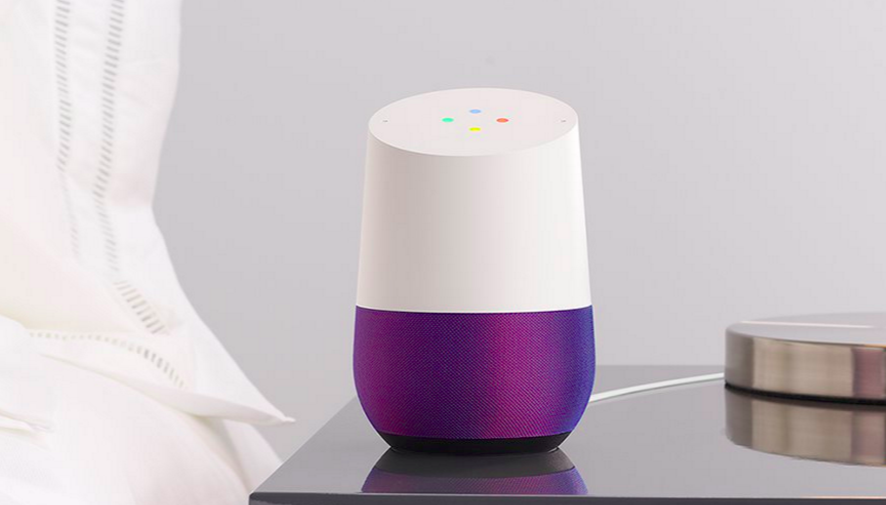
When Google Inc. unveiled additional details about its voice-controlled smart home speaker at its “Made by Google” event in October, the company announced integration with Netflix Inc.
Now, it seems that integration with Netflix, as well as integration with Google Photos, has started rolling out for some Google Home users. To be able to play Netflix content using Google Home voice commands, users will need a Chromecast or Chromecast-compatible device.
Google Assistant, Google’s digital personal assistant, is still pretty limited when it comes to tasks it can perform on Google Home and the Pixel smartphone. Last week, Google announced that it would open up Google Home for third-party developers. Developers will be able to build “Conversation Actions” for the voice-activated speaker using the Google Assistant developer platform – “Actions on Google.”
If Netflix and Photos integration has rolled out to your Google Home app, here’s a look at how to get started:
If you don’t see the new Videos and Photos group, don’t stress as Google are notorious for rolling out new features slowly and the Netflix and Photos option will likely be available for you in the next few weeks.
Even if you do have the option, you may have issues when it comes to linking your Netflix account or enabling or disabling Google Photos account.
Support our mission to keep content open and free by engaging with theCUBE community. Join theCUBE’s Alumni Trust Network, where technology leaders connect, share intelligence and create opportunities.
Founded by tech visionaries John Furrier and Dave Vellante, SiliconANGLE Media has built a dynamic ecosystem of industry-leading digital media brands that reach 15+ million elite tech professionals. Our new proprietary theCUBE AI Video Cloud is breaking ground in audience interaction, leveraging theCUBEai.com neural network to help technology companies make data-driven decisions and stay at the forefront of industry conversations.





