 APPS
APPS
APPS
APPS






APPS

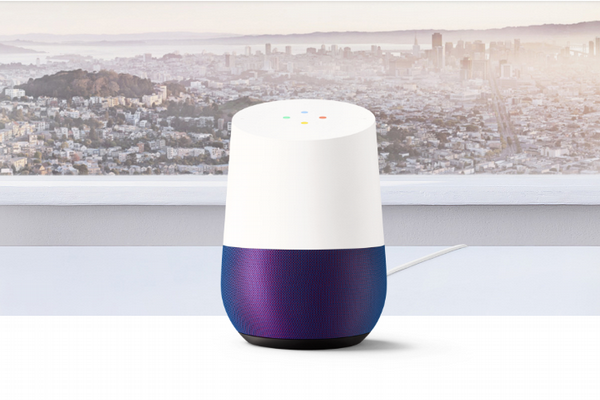
Google Inc. is making its Preview Program, previously restricted to Chromecast users, available to Google Home users.
The Preview Program gives users early access to firmware features before the updates are made available to the general public. Not only do users get early access to the new features, but it also allows users to provide Google with feedback of any potential improvements or any bugs.
It may sound similar to a beta program, but Google maintains that the Preview Program is not beta software and will be the “same quality as production version updates.”
The company has updated its Preview Program support page to reflect the addition of Google Home. However, a Google help representative told Forbes that the program is currently full, but slots are likely to open in the future.
If there is a slot available, here’s how you can sign up for the Preview Program and get early access to Google Home features:
Open the Google Home app on your phone or tablet > in the upper-right corner, tap Devices > you will see a list of your available Google Home and Chromecast devices > tap the device card for your Google Home device that you want to enroll > in the top-right corner of the device card, tap the Menu icon (three vertical dots) > tap Settings > Preview Program.
If you can’t see the “Preview Program” option or the option is grayed out then Google is not accepting new members currently.
If the program is accepting new signups, you can select whether to enable or disable email notifications using the slider. Google will alert you when new updates are pushed to your device, so if you disable email notifications you won’t be alerted.
Note: You can opt-out of the email notifications at anytime by opening the Google Home app > in the top-left corner tap the Menu icon > Account preferences > Email notifications > slide the Preview email slider to the left to disable notifications.
If you enable email notifications, you will need to sign into your Google account > review the signup page > tap Join Program > review the contents of the page and tap “OK, Got It.”
You can confirm you are a member of the Preview Program, by heading back to Settings > Preview Program. Members will see either “ON” or “ON (Preview firmware: #).”
You can send feedback using your voice, say “Ok Google, send feedback” or “Hey Google, send feedback.” You can record an audio message and your feedback with be sent to the Google Home team.
Alternatively, you can send feedback via your Android or iOS device. Make sure your mobile device is connected to the same Wi-Fi network as your Google Home device.
Note: Google suggests sending feedback via your mobile device rather than Chrome.
On your Android device, open the Google Home app > in the top-left corner, tap Menu (three horizontal lines) > Help & feedback > Submit Feedback Report > select the relevant device > tap the arrow in the From field and select your email address > in the “Write your feedback” section add your email address, together with a brief description of your feedback > check the box for “Include screenshot and logs” > tap the arrow icon in the top-right corner to send your feedback.
On your iOS device > open the Google Home app > tap Menu > Feedback > select the relevant device > write a brief description in the feedback summary section > check the box for “Include system data” and “Include Google Account” > tap Preview > tap Send.
If you want to leave the preview program, open the Google Home app > tap Devices > tap the device card for your Google Home device that you want to remove from the Preview Program > tap the device card Menu icon > tap Settings > Preview Program > LEAVE PROGRAM.
In Device Settings under Preview Program, you will see the new “Leaving” status. It will take between one and two weeks to actually leave the program, as you will only officially exit the program once the next production firmware is pushed.
Source: Google support
Support our mission to keep content open and free by engaging with theCUBE community. Join theCUBE’s Alumni Trust Network, where technology leaders connect, share intelligence and create opportunities.
Founded by tech visionaries John Furrier and Dave Vellante, SiliconANGLE Media has built a dynamic ecosystem of industry-leading digital media brands that reach 15+ million elite tech professionals. Our new proprietary theCUBE AI Video Cloud is breaking ground in audience interaction, leveraging theCUBEai.com neural network to help technology companies make data-driven decisions and stay at the forefront of industry conversations.





